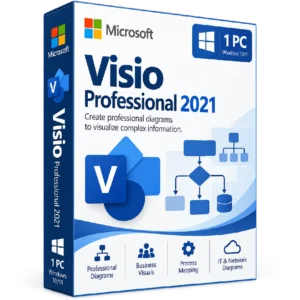
Microsoft Visio Professional 2019 Activation Key
$35.00
Visualize, design, and communicate complex information with Microsoft Visio Professional 2019. Create professional diagrams, flowcharts, organizational charts, process maps, and business visuals with powerful diagramming tools designed for Windows.
- 📊 Product: Microsoft Visio Professional 2019
- 💻 License: 1 PC
- 🔑 Activation: Digital product key
- 🔷 Diagramming: Create professional diagrams and visual workflows
- 📈 Visualization: Turn complex information into clear visual diagrams
Important: This product is designed for a compatible Windows PC. Please verify compatibility and the applicable Microsoft licensing requirements before purchasing.
🔷 Microsoft Visio Professional 2019 – Create Professional Diagrams & Visualize Information
Microsoft Visio Professional 2019 is a professional diagramming solution designed to help users transform complex information, processes, and ideas into clear and easy-to-understand visual diagrams.
From business processes and organizational structures to technical workflows and network diagrams, Visio Professional 2019 provides a versatile environment for creating, editing, and presenting professional visual content.
🔥 Key Features & Benefits
- 🔷 Professional Diagramming: Create detailed diagrams for business, technical, and organizational purposes.
- 🔄 Flowcharts: Design clear workflows and process diagrams to visualize how activities and decisions connect.
- 🏢 Business Diagrams: Build organizational charts, process maps, and other business-focused visuals.
- 💻 IT & Technical Diagrams: Create visual representations of systems, networks, and technical processes.
- 📊 Data Visualization: Present complex information in structured visual formats that are easier to understand.
- 🧩 Professional Templates: Start diagram projects using predefined templates and diagram types.
- 🔗 Connected Diagrams: Organize related shapes, processes, and information into structured visual workflows.
🚀 Visualize Complex Information
Visio Professional 2019 helps turn complicated concepts and processes into organized diagrams. By combining shapes, connectors, labels, and structured layouts, you can create visuals that communicate information more clearly.
- 📌 Map business processes and workflows
- 👥 Create organizational charts
- 🔄 Design process flowcharts
- 🌐 Build network and IT diagrams
- 🏗️ Create technical and engineering diagrams
- 📊 Visualize structured information
💼 Designed for Professional Workflows
Microsoft Visio Professional 2019 can support a variety of professional diagramming requirements across business and technical environments.
- 🏢 Business process documentation
- 💻 IT and network planning
- 📋 Organizational structure visualization
- 🔧 Technical and engineering documentation
- 🔄 Workflow and process mapping
- 📊 Data and information visualization
🎯 Create Clear, Professional Diagrams
Whether you need to explain a business workflow, document an IT environment, map an organizational structure, or visualize a complex process, Visio provides tools for creating diagrams that are structured and easy to communicate.
Use shapes, connectors, layouts, and diagram templates to build professional visuals suited to your specific project or documentation requirements.
📌 Product Specifications
- Product: Microsoft Visio Professional 2019 Activation Key
- Edition: Visio Professional 2019
- License: 1 PC
- Platform: Windows PC
- Activation: Digital product key
- Product Type: Professional diagramming software
- Delivery: Digital product
⚙️ Compatibility Information
Microsoft Visio Professional 2019 is intended for Windows PCs. Before purchasing, verify that your computer meets the applicable system requirements and that your existing Microsoft Office environment is compatible with Visio 2019.
- 💻 Platform: Windows
- 🖥️ Device: 1 PC
- 🔑 Activation: Requires a valid product key and applicable Microsoft activation process
- 🌐 Internet: Internet access may be required for setup, downloading, and activation
🔑 How to Install & Activate Visio Professional 2019
- Check compatibility: Verify that your Windows PC meets the applicable requirements for Visio Professional 2019.
- Prepare your PC: Close Microsoft Office and other related applications before starting the installation.
- Download Visio: Use the applicable Microsoft installation source for your Visio 2019 product.
- Install the software: Run the installer and follow the on-screen installation instructions.
- Launch Visio: Open Microsoft Visio Professional 2019 after installation.
- Enter your product key: Follow the applicable Microsoft activation process and enter the product key supplied with your order when requested.
- Complete activation: Follow the instructions provided by Microsoft to finish activation.
- Verify activation: Confirm the activation status before creating your diagrams.
📥 Digital Product Delivery
Your Microsoft Visio Professional 2019 activation key is supplied digitally according to the delivery method specified by BuySoftKeys. No physical disc or package is required.
After receiving your product key, keep it stored securely for your records and future reference.
⚠️ Before You Buy
- ✔️ Confirm that you need Visio Professional 2019.
- ✔️ Verify that your Windows PC is compatible with the software.
- ✔️ Confirm that the 1-PC license matches your intended use.
- ✔️ Check whether another Visio version is already installed on your computer.
- ✔️ Review Microsoft’s applicable installation and activation requirements.
- ✔️ Back up important files before making significant software changes.
- ✔️ Review the applicable Microsoft licensing terms before activation.
🛠️ Need Assistance?
If you need assistance with your order, product key, installation, compatibility, or activation, the BuySoftKeys support team can help guide you through the next steps.
Note: Installation, activation, available features, and continued use are subject to Microsoft’s applicable software and licensing terms.