Filmora 15 – Perpetual Plan & Creative Assets for Windows & Mac
$39.00
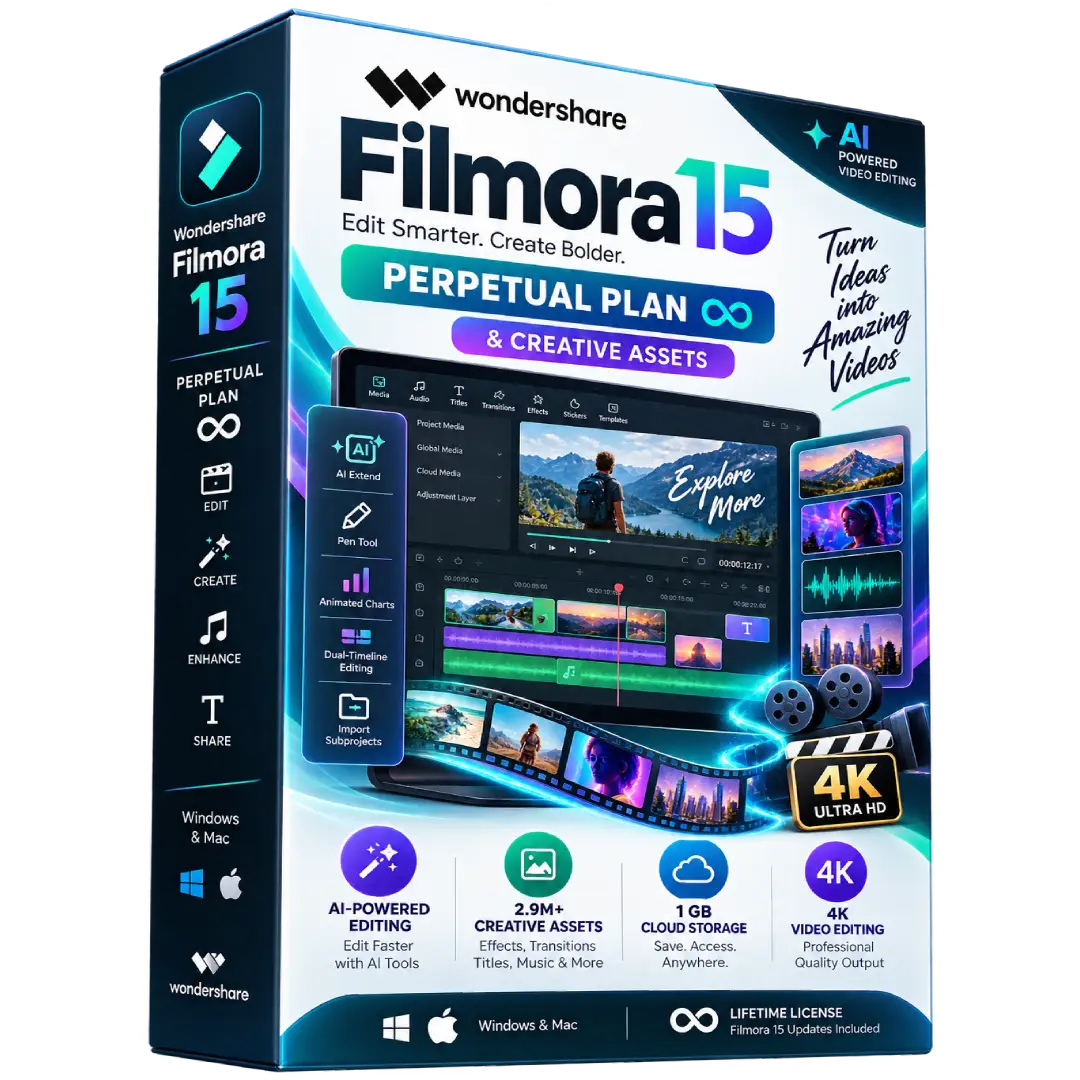
Create professional videos with Wondershare Filmora 15 and enjoy a powerful collection of editing tools, creative assets, AI features, and high-quality export options with a perpetual license.
- 🎬 Filmora 15: Access 100+ advanced video editing features for creating polished videos.
- ✨ Creative Assets: Access to a large library of creative resources including effects, transitions, titles, music, and more.
- 🤖 AI Tools: Includes 1,000 Filmora AI credits for supported AI-powered features.
- 🎥 4K Export: Export your finished projects in high-quality 4K resolution and multiple formats.
- 🔓 Perpetual License: One-time purchase with access to Filmora 15 updates.
📌 Important: Wondershare’s Perpetual Plan is device-specific. Windows and Mac licenses are handled separately, so please confirm the platform supplied with your order before activation.
🎬 Create Stunning Videos with Filmora 15 Perpetual License
Wondershare Filmora 15 provides an intuitive yet powerful video-editing environment for creators who want to produce professional-looking videos without a complicated workflow. Edit footage, enhance visuals, work with audio, add effects and transitions, and export your finished projects in high quality.
This Perpetual Plan is purchased with a one-time payment and provides access to Filmora 15 updates. Wondershare’s current official listing also includes creative assets, AI credits, cloud storage, advanced editing features, watermark-free exports, and 4K export capabilities. :contentReference[oaicite:1]{index=1}
🔥 Key Features & Benefits
- 🎬 100+ Advanced Editing Features: Edit, arrange, enhance, and polish your videos using Filmora’s extensive editing toolkit.
- ✨ Creative Assets: Access a large collection of effects, transitions, titles, music, sound effects, stock media, and other creative resources.
- 🤖 AI-Powered Tools: The current Perpetual Plan includes 1,000 Filmora AI credits for supported AI features.
- 🎨 Creative Effects: Add visual effects, transitions, animated titles, filters, and other elements to your projects.
- 🎵 Audio Editing: Enhance your projects with music, sound effects, voice recordings, and audio-editing tools.
- 📹 4K Video Export: Export projects in 4K HD and multiple supported formats.
- 💧 Watermark-Free Export: Export finished projects without the watermark associated with the free version.
- ☁️ Cloud Storage: The current Perpetual Plan includes 1 GB of Filmora Cloud Storage.
- 🔄 Filmora 15 Updates: Continue receiving updates within the Filmora 15 version.
📌 Product Specifications
- Product: Wondershare Filmora 15
- Plan: Perpetual Plan
- License Type: Perpetual / One-Time Purchase
- Version: Filmora 15
- Creative Assets: 2.9M+ listed by Wondershare
- AI Credits: 1,000
- Cloud Storage: 1 GB
- Export: Multiple formats
- Maximum Export: 4K HD
- Advanced Editing Features: 100+
- Delivery: Digital product
✨ Creative Assets
Filmora’s creative ecosystem provides access to a large selection of resources designed to speed up video production. Wondershare currently lists more than 2.9 million creative assets, covering resources such as effects, transitions, titles, music, sound effects, and stock media. :contentReference[oaicite:2]{index=2}
🤖 AI-Powered Creativity
The current Perpetual Plan includes 1,000 Filmora AI credits. AI credits are used by supported Filmora AI features, with different features consuming different amounts of credits depending on the operation. :contentReference[oaicite:3]{index=3}
🎥 Professional Video Editing
Filmora provides tools for timeline editing, effects, transitions, titles, color adjustment, audio editing, motion and keyframe-based workflows, and other features designed to help creators turn raw footage into finished videos.
📺 4K & Multiple-Format Export
After completing your project, Filmora supports exporting videos in multiple formats, including 4K HD export on the supported plan. The official Perpetual Plan also provides export without the watermark associated with the free edition. :contentReference[oaicite:4]{index=4}
💻 Windows & Mac Compatibility
Important: Wondershare states that the Perpetual Plan is device-specific. A Windows perpetual license works on Windows devices, while a Mac perpetual license works on Mac devices. The cross-platform behavior available with some subscription plans does not apply in the same way to the Perpetual Plan. :contentReference[oaicite:5]{index=5}
If your BuySoftKeys listing supplies both a Windows and Mac entitlement, specify that clearly in the order information. Otherwise, change the product title to the exact platform supplied to avoid confusion.
⚙️ System Requirements
Windows:
- Windows 11, Windows 10, Windows 8.1, or Windows 7 on supported x64 systems
- Intel 6th Gen or newer, or AMD Ryzen 3 1300X or higher
- Minimum 8 GB RAM
- 16 GB RAM recommended for HD and 4K editing
- Compatible graphics hardware with at least 2 GB VRAM recommended according to Wondershare’s requirements
Wondershare recommends more powerful hardware for demanding 4K and 8K workflows. :contentReference[oaicite:6]{index=6}
🔑 Activation & Setup
- Download the appropriate official Filmora installer.
- Install Filmora on your compatible computer.
- Launch Filmora after installation.
- Sign in with or create your Wondershare ID.
- Activate the supplied license according to the provided activation method.
- Start editing and exporting your projects.
Wondershare states that Filmora prompts users to activate the software online using a Wondershare ID. :contentReference[oaicite:7]{index=7}
🔄 What Does the Perpetual License Include?
A perpetual license gives you continuing access to the specific Filmora version covered by the license. Wondershare explains that the Perpetual Plan includes updates within the applicable major version but does not automatically include future major versions. :contentReference[oaicite:8]{index=8}
📥 Digital Product Delivery
This is a digital software product. No physical disc or boxed copy is shipped. Your product/license information is delivered digitally according to the fulfillment method specified with your order.
⚠️ Before You Buy
- Confirm that your computer meets Filmora’s system requirements.
- Confirm whether your supplied license is for Windows or Mac.
- The Perpetual Plan covers the applicable Filmora version and does not automatically provide future major-version upgrades.
- AI features may consume Filmora AI credits.
- Creative Assets and certain premium resources may have separate terms or availability depending on the specific Filmora plan and asset.
🛠️ Need Assistance?
If you need help with your order, installation, activation, or getting started with Filmora, contact the BuySoftKeys support team for assistance.
Note: Wondershare and Filmora are trademarks of Wondershare Technology. BuySoftKeys is not affiliated with or endorsed by Wondershare unless explicitly stated.
Related products
-
Video EditingBuy now
CapCut Pro Private Account – 12 Months | iOS, Android, Windows & Mac
$59.00 Add to cart