Adobe Acrobat Pro 2026 Lifetime License for Windows
$25.00
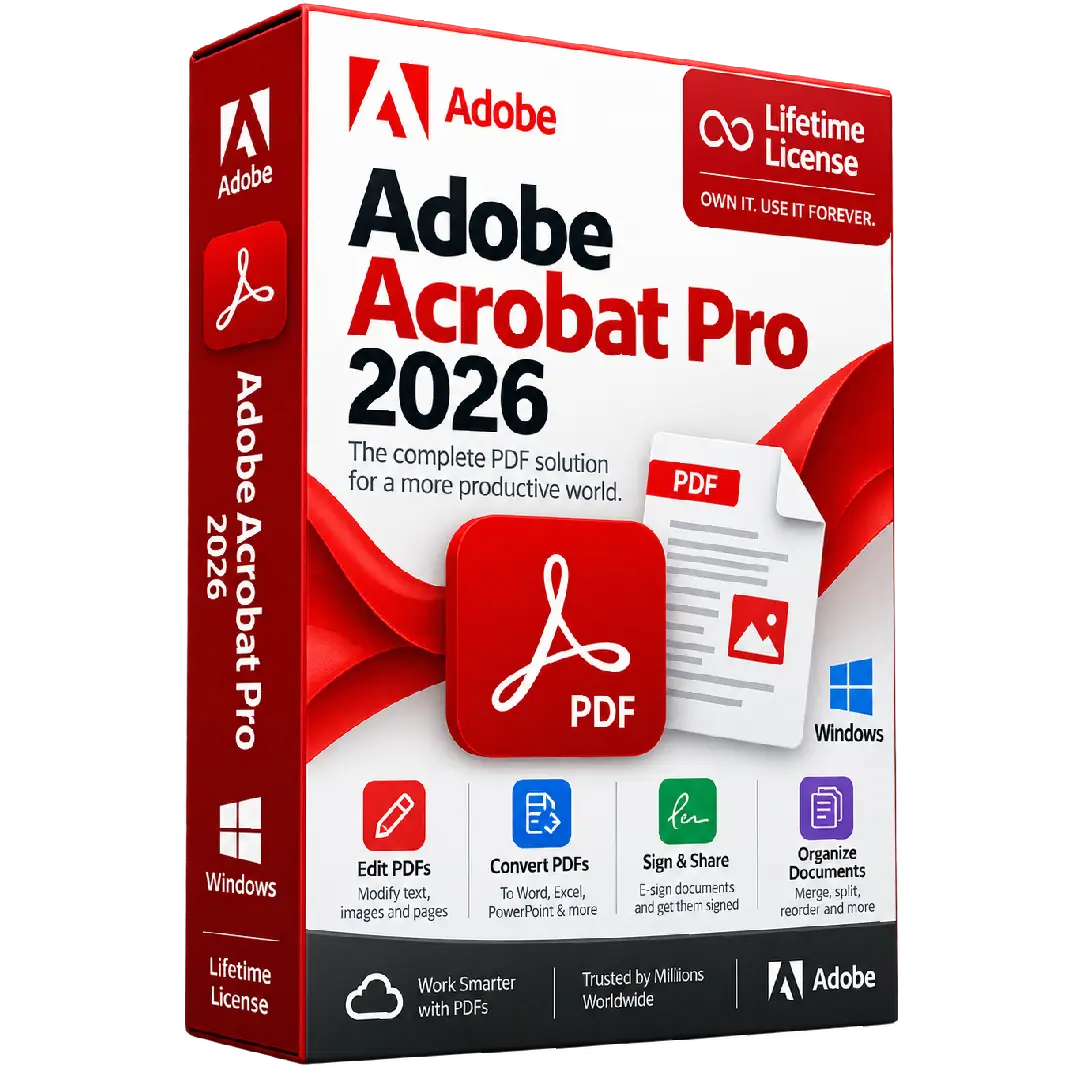
Adobe Acrobat Pro 2026 for Windows provides powerful PDF tools for editing, converting, organizing, signing, and managing professional documents on Windows PCs.
- 🖥️ Platform: Windows PC
- 📄 PDF Editing: Edit text, images, and pages
- 🔄 Convert PDFs: Export PDFs to popular document formats
- ✍️ Sign & Share: Fill forms, add signatures, and share documents
- 📚 Organize: Merge, split, reorder, and manage PDF files
⚠️ Important: Please verify the exact license type and activation method supplied with this product before purchase. Adobe’s current official Acrobat Pro offering is subscription-based.
🚀 Adobe Acrobat Pro 2026 for Windows – Professional PDF Tools
Adobe Acrobat Pro is a comprehensive PDF solution designed for users who need to create, edit, convert, organize, sign, and manage PDF documents efficiently. It provides a wide range of tools for working with professional documents on compatible Windows computers.
From modifying PDF content to converting documents and preparing files for electronic signatures, Acrobat Pro brings essential PDF workflows together in one desktop application.
🔥 Key Features & Benefits
- 📄 Edit PDFs: Modify PDF text, images, and pages with professional editing tools.
- 🔄 Convert Documents: Convert PDFs to commonly used formats such as Word and Excel.
- ✍️ Fill & Sign: Complete forms, add signatures, and prepare documents for sharing.
- 📑 Create PDFs: Create professional PDF documents from supported files and applications.
- 📚 Organize Documents: Merge, split, reorder, and manage pages within PDF files.
- 🔒 Protect Documents: Use available PDF protection and document-management features.
- 🤝 Share & Review: Prepare PDF documents for collaboration, review, and sharing.
🛠️ Professional PDF Editing
Acrobat Pro provides tools for making changes directly inside PDF documents, including editing text and images and managing individual pages. This makes it useful for business documents, forms, reports, contracts, presentations, and other PDF-based workflows.
🔄 Convert PDFs to Other Formats
Convert PDF documents into editable formats when you need to continue working on their content. Acrobat supports PDF conversion workflows for formats such as Microsoft Word and Excel, depending on the available features and license.
✍️ Sign, Fill & Share Documents
Complete digital forms, add electronic signatures, and prepare documents for sharing without having to print and scan paperwork. Acrobat also provides tools for reviewing and collaborating on PDF documents.
📑 Organize Your PDF Files
- Merge multiple PDF files into a single document.
- Split documents into separate PDF files.
- Reorder and manage individual pages.
- Prepare documents for easier distribution and review.
💻 Compatibility Information
This product is intended for compatible Windows PCs. Adobe’s current Acrobat Pro technical requirements list the following supported Windows environments:
- 🪟 Windows 11 64-bit
- 🪟 Windows 10 64-bit, version 1809 or later
- 🖥️ Windows Server 2016, 2019, or 2022 64-bit
- ⚙️ Intel or AMD processor, 1.5 GHz or faster
- 💾 2 GB RAM minimum
- 💿 4.5 GB available storage
- 🖥️ 1024 × 768 minimum display resolution
System requirements are based on Adobe’s current Acrobat technical documentation and may vary by Acrobat version. :contentReference[oaicite:1]{index=1}
🔑 Installation & Activation
- Prepare a compatible Windows computer.
- Download the appropriate Acrobat installer from the official Adobe source when applicable.
- Install Adobe Acrobat on your computer.
- Follow the activation instructions supplied with your purchase.
- Sign in with an Adobe account if required by the applicable license or activation method.
Adobe’s current Acrobat installation process uses an Adobe ID for downloading and activating subscription versions. :contentReference[oaicite:2]{index=2}
📥 Digital Product Delivery
This is a digital software product. After your order is processed, the applicable product/license information and activation instructions are delivered electronically according to the fulfillment method used for your purchase.
⚠️ Before You Buy
- ✔️ Confirm that your computer meets the Windows requirements.
- ✔️ Check that you require the Windows version rather than the Mac version.
- ✔️ Make sure you understand the license and activation method supplied with the product.
- ✔️ An Adobe account and internet connection may be required depending on the license and activation method.
- ⚠️ Adobe currently states that it no longer sells perpetual Acrobat versions after Acrobat 2020. Current Acrobat Pro is offered as a subscription, while Acrobat Pro 2024 is available as a non-subscription desktop product with a three-year term. :contentReference[oaicite:3]{index=3}
🛠️ Need Assistance?
If you need help with installation or activation, contact the BuySoftKeys support team with your order information. We can help guide you through the applicable installation and activation process.
📌 Product Summary
- Product: Adobe Acrobat Pro 2026
- Platform: Windows
- Product Type: Digital software license
- Use: PDF creation, editing, conversion, organization, signing, and document management
Note: Adobe Acrobat is a trademark of Adobe. BuySoftKeys is an independent software retailer and is not affiliated with or endorsed by Adobe unless expressly stated otherwise.