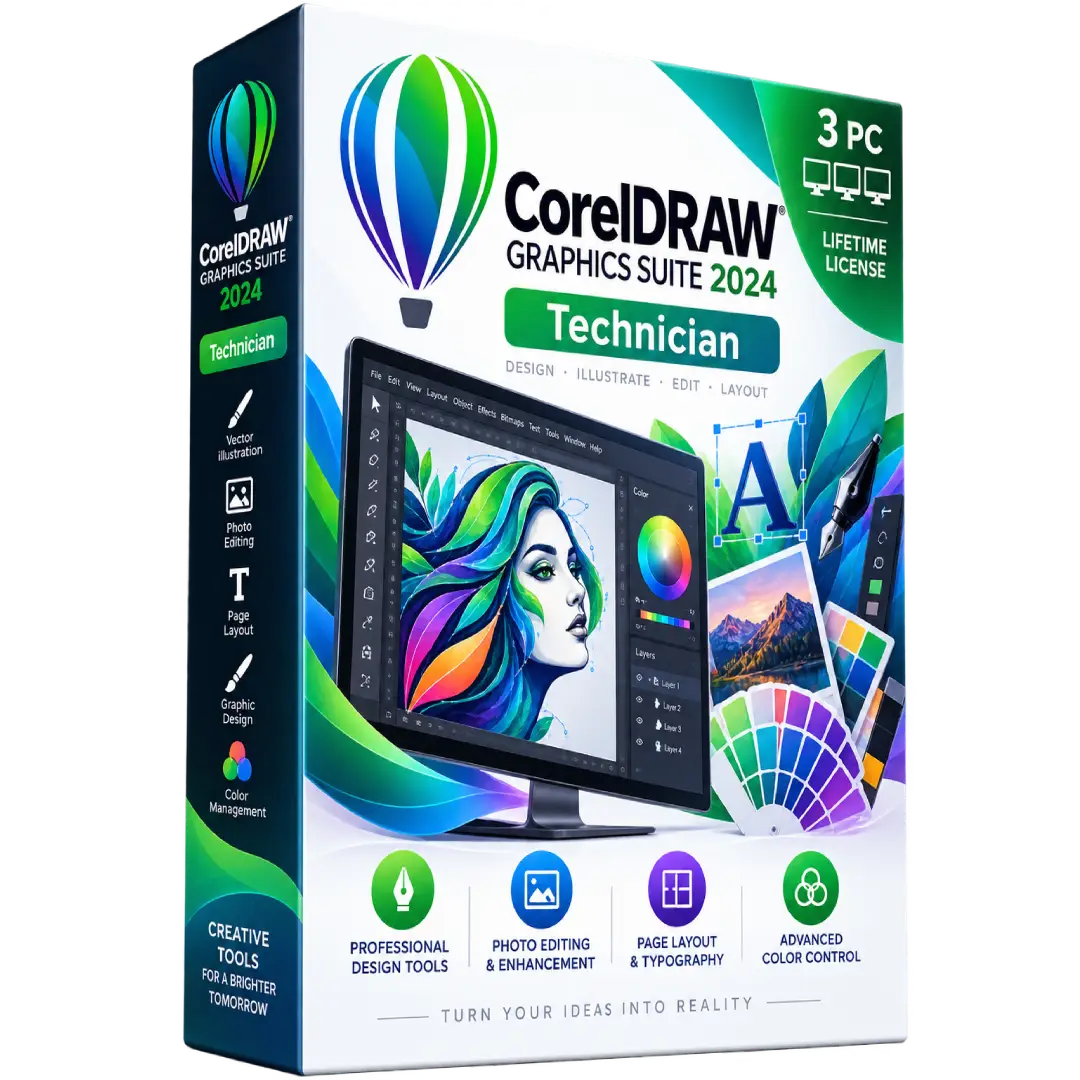
CorelDRAW Graphics Suite 2024 Technician 3 PC Lifetime License
$69.00
Create professional graphics, illustrations, layouts, and marketing materials with CorelDRAW Graphics Suite 2024.
- 🎨 Professional Design: Create vector illustrations, logos, layouts, and visual assets.
- 🖼️ Photo Editing: Enhance and edit images with Corel PHOTO-PAINT.
- ✒️ Typography & Layout: Design brochures, posters, business cards, and other print materials.
- 🌈 Color Control: Work with advanced color tools and professional design workflows.
- 💻 3 PC License: Product listing provides coverage for 3 PCs with a lifetime license.
⚠️ Important: Corel’s official 2024 release documentation confirms CorelDRAW Graphics Suite 2024 as version 25.x. Verify the exact license type and 3-PC activation terms supplied with your order before activation. :contentReference[oaicite:0]{index=0}
🎨 CorelDRAW Graphics Suite 2024 – Professional Graphic Design Suite
CorelDRAW Graphics Suite 2024 is a professional creative software suite designed for vector illustration, page layout, photo editing, typography, and graphic design. It combines CorelDRAW with complementary creative applications and tools for producing everything from logos and marketing materials to illustrations and professional print projects.
This listing is supplied as a 3-PC lifetime license according to the product details provided with the order.
🔥 Key Features & Benefits
- 🎨 Vector Illustration: Create detailed illustrations, logos, icons, signs, and other scalable graphics.
- 📐 Page Layout: Build brochures, flyers, posters, business cards, newsletters, and multi-page documents.
- 🖼️ Photo Editing: Use Corel PHOTO-PAINT for image correction, enhancement, and creative photo effects.
- ✒️ Typography Tools: Combine text and graphics with professional layout and typography controls.
- 🌈 Color Management: Work with color tools designed for consistent digital and print-oriented workflows.
- 🧩 Creative Applications: The Graphics Suite includes CorelDRAW, Corel PHOTO-PAINT, Corel Font Manager, and CAPTURE. :contentReference[oaicite:1]{index=1}
- 📁 File Compatibility: CorelDRAW Graphics Suite supports a wide range of commonly used file formats. :contentReference[oaicite:2]{index=2}
📌 Product Specifications
- Product: CorelDRAW Graphics Suite 2024
- Version: 2024 / v25.x
- License: 3 PC Lifetime License
- Product Type: Digital Software
- Category: Graphic Design & Illustration
- Developer: Corel
🛠️ Included Applications
- 🎨 CorelDRAW: Vector illustration and page-layout tools.
- 🖌️ Corel PHOTO-PAINT: Image editing and photo enhancement.
- 🔤 Corel Font Manager: Manage and organize fonts.
- 📸 CAPTURE: Capture screen content for use in creative projects.
Corel identifies these applications as part of the CorelDRAW Graphics Suite product family. :contentReference[oaicite:3]{index=3}
💻 System Requirements
For the current CorelDRAW Graphics Suite family, Corel lists Windows 11 or Windows 10 64-bit, an Intel Core i3/i5/i7/i9 7th generation or newer or compatible AMD processor, 8 GB RAM with 16 GB recommended, an OpenCL 1.2-compatible graphics card with 3 GB or more VRAM, and available storage for installation. Internet access is required for installation and authentication. :contentReference[oaicite:4]{index=4}
Corel’s official 2024 update documentation also confirms that Graphics Suite 2024 was released for Windows and Mac. :contentReference[oaicite:5]{index=5}
🆕 CorelDRAW Graphics Suite 2024
The 2024 release introduced and enhanced several creative tools, including Painterly brushes, file-format improvements, workflow enhancements, and additional color options. Corel’s September 2024 update also introduced improvements to Painterly Brush controls and added 175 colors to the PANTONE FHI Cotton TCX palette. :contentReference[oaicite:6]{index=6}
🔑 Installation & Activation
- Download the appropriate CorelDRAW Graphics Suite 2024 installation package.
- Install the software on a compatible computer.
- Launch the application and follow the on-screen activation instructions.
- Enter the license or serial information supplied with your order when requested.
- Complete activation and begin using the installed applications.
⚠️ License Note: Corel’s official 2024 release notes state that the 2024 version uses a serial number beginning with DR25S for that release. The exact activation method and number of permitted installations depend on the license supplied with the product. :contentReference[oaicite:7]{index=7}
📥 Digital Product Delivery
This is a digital software product. No physical CD or DVD is required. The applicable product/license information is delivered digitally according to the order.
⚠️ Before You Buy
- ✔️ This listing is for 3 PCs according to the supplied product details.
- ✔️ The listing specifies a lifetime license; verify the exact activation terms supplied with your order.
- ✔️ Check your computer against the applicable Corel system requirements before installation.
- ✔️ Internet access is required for installation and authentication. :contentReference[oaicite:8]{index=8}
- ⚠️ Corel’s current product lineup and licensing options may differ from the 2024 edition, so this listing specifically refers to the 2024 version.
🛠️ Need Assistance?
Need help downloading or activating your software? Contact our support team and we’ll help you through the setup process.
Trademark Notice: CorelDRAW, Corel PHOTO-PAINT, and related names are trademarks of Corel Corporation. BuySoftKeys is an independent retailer, and this product description does not imply ownership of or affiliation with Corel Corporation.
Related products
-
CorelDrawBuy now
CorelDRAW Graphics Suite 2026 Technical 1 PC Perpetual Lifetime License
$89.00 Add to cart -
CorelDrawBuy now
CorelDRAW Graphics Suite 2025 Technician 4 PC Perpetual Lifetime License
$79.00 Add to cart -
CorelDrawBuy now
CorelDRAW Graphics Suite 2025 for Mac Global Key 10 PC Perpetual License
$79.00 Add to cart