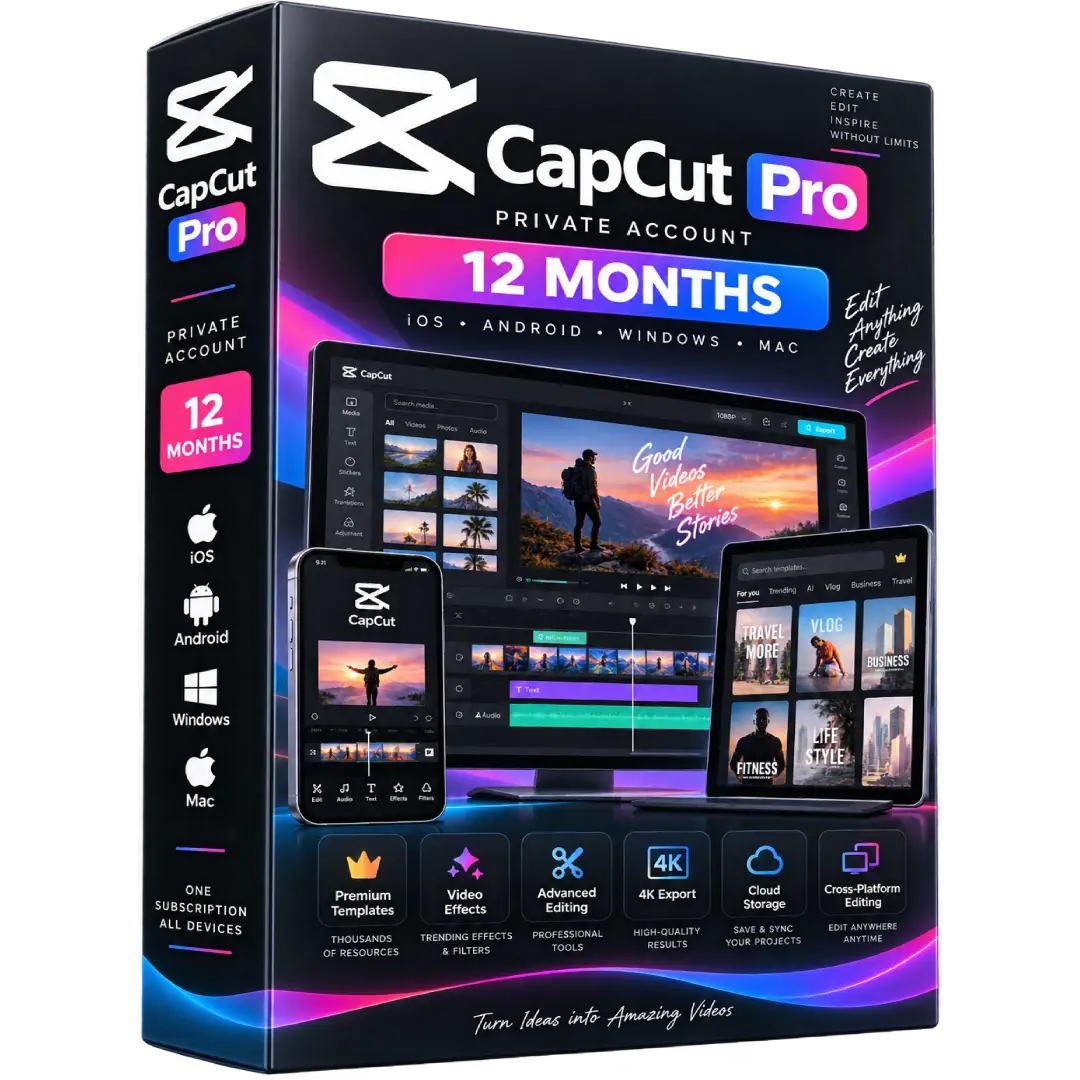
CapCut Pro Private Account – 12 Months | iOS, Android, Windows & Mac
$59.00
Create professional videos with CapCut Pro – 12 Months, featuring premium editing tools, effects, templates, AI-powered features, and cross-platform access.
- 🎬 Premium Editing: Access advanced editing tools, transitions, effects, filters, and premium templates.
- 🤖 AI Tools: Unlock advanced AI-powered features such as auto captions, camera tracking, and AI creative tools.
- ✨ Premium Assets: Access Pro templates, effects, filters, and other premium creative resources.
- ☁️ Cloud Storage: Pro plans include expanded cloud storage for projects and assets.
- 📱 Multi-Platform: Designed for iOS, Android, Windows, Mac, and web workflows.
- 📅 Duration: 12 months.
⚠️ Account Type: This listing is described as a private account. Access and account-management terms depend on the account supplied with your order. CapCut Pro subscriptions are account-based and can provide access across supported platforms. :contentReference[oaicite:0]{index=0}
🎬 CapCut Pro – 12 Months | iOS, Android, Windows & Mac
CapCut Pro is a premium video-editing solution designed for creators who want access to advanced editing tools, premium creative assets, AI-powered features, and flexible editing across supported devices.
This listing provides 12 months of CapCut Pro access and is described as a private account. CapCut states that Pro subscriptions are account-based, allowing Pro benefits to be used across Web, Desktop, and Mobile when the same account is used. :contentReference[oaicite:1]{index=1}
🔥 Key Features & Benefits
- 🎬 Advanced Video Editing: Create, trim, arrange, enhance, and refine videos with professional editing tools.
- ✨ Premium Templates & Effects: Access Pro templates, transitions, filters, effects, and other premium creative resources. :contentReference[oaicite:2]{index=2}
- 🤖 Advanced AI Features: CapCut Pro provides advanced AI capabilities, including tools such as auto captions, camera tracking, AI avatars, and AI-generated content, subject to availability. :contentReference[oaicite:3]{index=3}
- 🎨 Creative Effects: Use advanced text styles, video effects, transitions, body effects, and filters.
- ☁️ Cloud Projects: Pro includes cloud storage for saving and accessing projects across supported devices. Current CapCut plan details can vary by region and plan version. :contentReference[oaicite:4]{index=4}
- 📱 Cross-Platform Workflow: Work across mobile, desktop, and web using your CapCut account. :contentReference[oaicite:5]{index=5}
- 📤 High-Quality Export: Pro features can include options such as 4K export and watermark-free output where supported by the current plan and platform. :contentReference[oaicite:6]{index=6}
📌 Product Specifications
- Product: CapCut Pro
- Duration: 12 Months
- Account Type: Private Account
- Platforms: iOS, Android, Windows, Mac & Web
- Product Type: Digital Subscription
- Category: Video Editing
📱 Supported Platforms
CapCut provides Pro access across its supported mobile, desktop, and web platforms. On mobile, CapCut supports iOS and Android, while desktop access is available for Windows and macOS. :contentReference[oaicite:7]{index=7}
- 🍎 iOS: CapCut mobile application
- 🤖 Android: CapCut mobile application
- 🪟 Windows: CapCut desktop application
- 🍏 Mac: CapCut desktop application for macOS
- 🌐 Web: CapCut Online
✨ Premium Features
CapCut Pro expands the standard editing experience with premium resources and advanced tools. Depending on the current plan and region, Pro features can include premium templates, advanced effects, AI tools, cloud storage, and higher-quality export options. :contentReference[oaicite:8]{index=8}
- 🎨 Premium templates and creative assets
- 🎞️ Advanced video effects and transitions
- 🤖 Advanced AI-powered editing features
- 📝 Advanced captions and text tools
- 🎥 High-quality export options
- ☁️ Expanded cloud project storage
- 🔄 Cross-platform project access
🔑 Account Access & Activation
- Receive the account/access details supplied with your order.
- Sign in to CapCut using the provided account information.
- Open CapCut on your supported device or access CapCut Online.
- Confirm that Pro features are available on the account.
- Start creating and editing your videos using the available Pro features.
CapCut’s official documentation states that Pro subscriptions are account-based and that Pro status can synchronize across Web, Desktop, and Mobile when using the same account. :contentReference[oaicite:9]{index=9}
📥 Digital Product Delivery
This is a digital subscription product. No physical product is shipped. Account/access information is delivered digitally according to the order.
⚠️ Before You Buy
- ✔️ The subscription duration listed here is 12 months.
- ✔️ The listing is described as a private account.
- ✔️ Supported platforms include iOS, Android, Windows, Mac, and CapCut Web.
- ✔️ CapCut features, storage allowances, and subscription options can vary by region, platform, and current plan. :contentReference[oaicite:10]{index=10}
- ⚠️ Account access is subject to CapCut’s applicable terms and service policies. :contentReference[oaicite:11]{index=11}
🛠️ Need Assistance?
If you need help accessing the account or using CapCut Pro on a supported device, contact our support team and we’ll help you through the setup process.
Trademark Notice: CapCut and related names and logos are trademarks of their respective owner. BuySoftKeys is an independent retailer and this product description does not imply ownership of or affiliation with CapCut.