Microsoft 365 E3 License Key – 100 Users (12 Month Plan)
$9,220.00
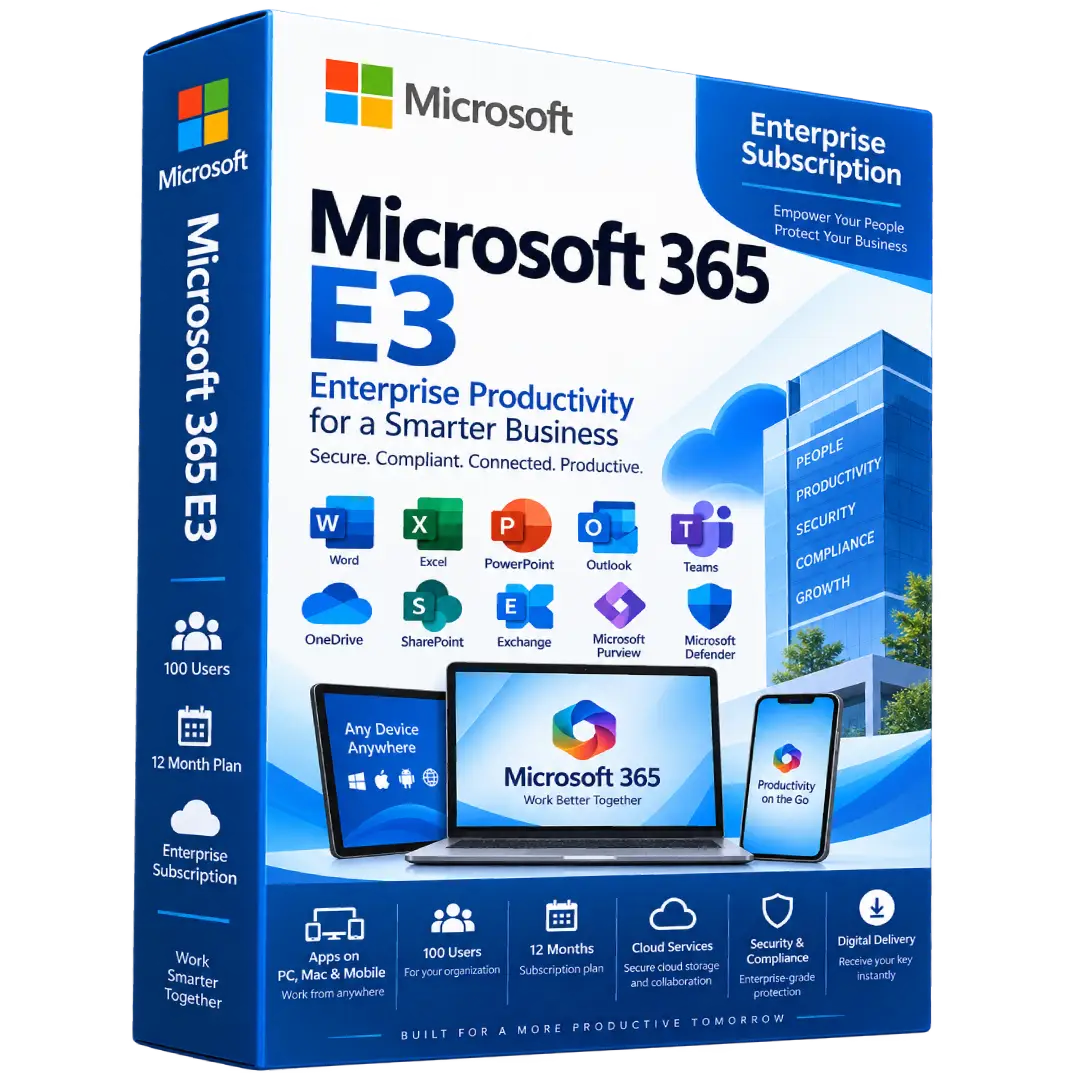
Microsoft 365 E3 License Key – 100 Users (12 Month Plan) is an enterprise productivity subscription designed for organizations that need Microsoft 365 applications, cloud services, collaboration tools, security, and centralized management for multiple users.
- 🏢 Plan: Microsoft 365 E3 Enterprise
- 👥 Users: 100-user offering
- 📅 Duration: 12 months
- 📝 Apps: Word, Excel, PowerPoint, Outlook, OneNote, and more
- ☁️ Cloud & Collaboration: OneDrive, SharePoint, Teams, Exchange, and enterprise services
⚠️ Important: Microsoft 365 E3 is a user-based enterprise subscription. The exact activation, assignment, and administration process depends on the Microsoft licensing arrangement associated with the product.
🚀 Microsoft 365 E3 – Enterprise Productivity for Your Organization
Microsoft 365 E3 is an enterprise productivity and security solution designed for organizations that need a comprehensive collection of Microsoft applications and cloud services. It combines productivity apps, collaboration, cloud storage, identity management, endpoint management, security, and compliance capabilities in one enterprise subscription.
This product is offered as a 12-month plan for 100 users, making it suitable for organizations that need Microsoft 365 services for a larger team.
🔥 Key Features & Benefits
- 👥 100-User Offering: Designed for organizations requiring Microsoft 365 licensing for multiple users.
- 📅 12-Month Plan: Subscription access for one year according to the product offering.
- 📝 Productivity Apps: Access Word, Excel, PowerPoint, OneNote, Outlook, and other included applications.
- 💬 Microsoft Teams: Chat, meetings, calling, and collaboration capabilities where the Teams license is included.
- ☁️ Cloud Storage: OneDrive storage for accessing and collaborating on files.
- 🌐 SharePoint: Team sites, content management, and organizational collaboration.
- 🔐 Enterprise Security: Identity, endpoint, antivirus, antimalware, phishing, and ransomware protection capabilities.
- ⚙️ IT Management: Enterprise tools for managing users, devices, applications, and access.
- 🛡️ Compliance: Microsoft Purview capabilities help organizations manage and protect business data.
📝 Microsoft Office Productivity Apps
Microsoft 365 E3 includes fully installed and continually updated productivity applications for supported devices. Microsoft lists Word, Excel, PowerPoint, OneNote, and Microsoft Access for PC among the included productivity applications. :contentReference[oaicite:1]{index=1}
- 📄 Word: Create, edit, and collaborate on professional documents.
- 📊 Excel: Analyze data, create spreadsheets, and build reports.
- 📽️ PowerPoint: Create presentations and visual business materials.
- 📓 OneNote: Organize notes and information.
- 📧 Outlook: Manage business email, calendars, contacts, and tasks.
- 🗃️ Access: Build and manage databases on supported Windows PCs.
💬 Communication & Collaboration
Microsoft 365 E3 provides tools that help teams communicate and collaborate from a shared Microsoft 365 environment.
- 💬 Microsoft Teams: Chat, meetings, calls, and team collaboration.
- 📁 SharePoint: Create team sites and manage organizational content.
- ☁️ OneDrive: Store, access, edit, and share files.
- 📧 Exchange: Business email and calendaring capabilities.
- 🔎 Microsoft Search: Find files, documents, people, sites, groups, and conversations.
Microsoft’s current E3 documentation lists Teams, OneDrive, SharePoint, Exchange, and Microsoft Search among the collaboration and cloud services associated with the plan. :contentReference[oaicite:2]{index=2}
☁️ Cloud Storage & File Collaboration
Microsoft 365 E3 provides cloud storage through OneDrive and organizational content management through SharePoint. Users can access, share, and collaborate on files across supported devices and services.
Microsoft currently describes E3 as providing 1 to 5+ TB of cloud storage per user, depending on applicable licensing and storage conditions. :contentReference[oaicite:3]{index=3}
🔐 Enterprise Security
Security is an important component of Microsoft 365 E3. Microsoft lists capabilities including identity and access management, endpoint protection, antivirus and antimalware protection, phishing and ransomware protection, and endpoint management.
- 🛡️ Identity and access management
- 🔒 Endpoint security and management
- 🦠 Antivirus and antimalware protection
- 🎣 Phishing protection
- 🔐 Ransomware protection
- 📊 Data security and compliance capabilities
These capabilities are documented by Microsoft as part of the current Microsoft 365 E3 enterprise offering. :contentReference[oaicite:4]{index=4}
⚙️ IT & Device Management
Microsoft 365 E3 also provides enterprise management capabilities designed to help organizations deploy, manage, monitor, and update users and devices at scale.
- 💻 Manage supported organizational devices.
- ⚙️ Deploy and manage applications.
- 🔑 Manage identity and access.
- 🛡️ Monitor endpoint security.
- 📋 Apply organizational policies and controls.
🛡️ Compliance & Data Protection
Microsoft 365 E3 includes baseline compliance and data-protection capabilities designed for organizations that need to manage business information and meet internal security and governance requirements.
Microsoft’s current licensing documentation identifies Microsoft Purview capabilities as part of the Microsoft 365 E3 security and compliance foundation. :contentReference[oaicite:5]{index=5}
🤖 AI & Microsoft 365 Copilot Chat
Microsoft currently includes Microsoft 365 Copilot Chat with eligible Microsoft 365 subscriptions, including E3. Microsoft describes it as providing web-connected AI chat, writing assistance, and data-analysis capabilities.
Important: Microsoft 365 E3 does not automatically include the full Microsoft 365 Copilot add-on. Microsoft documents Microsoft 365 Copilot as an available add-on for E3. :contentReference[oaicite:6]{index=6}
💻 Supported Devices
Microsoft 365 E3 supports productivity experiences across desktop, web, and mobile platforms. Microsoft’s current E3 information lists support for up to 5 PCs or Macs, 5 tablets, and 5 mobile devices per user, subject to the applicable licensing terms. :contentReference[oaicite:7]{index=7}
- 🪟 Windows PCs
- 🍎 Mac computers
- 📱 iPhone and iPad
- 🤖 Android devices
- 🌐 Web browsers
🏢 Designed for Enterprise Organizations
Microsoft 365 E3 is an enterprise subscription rather than a typical consumer Microsoft 365 plan. Microsoft states that E3 supports organizations of any size and provides enterprise productivity, security, identity, and management capabilities. :contentReference[oaicite:8]{index=8}
🔑 Activation & Administration
- Ensure your organization has the required Microsoft 365 tenant or administrator account.
- Redeem or provision the license according to the supplied licensing instructions.
- Assign the appropriate licenses to the intended users.
- Configure Microsoft 365 services through the Microsoft 365 administration environment.
- Users can then sign in with their assigned organizational Microsoft accounts.
- Install the applicable Microsoft 365 applications on supported devices.
⚠️ Enterprise licensing note: Microsoft 365 E3 is a user-based enterprise license. Activation and user assignment are normally managed through an organization’s Microsoft 365 environment rather than by simply entering a traditional consumer product key into an Office application. Microsoft’s licensing guidance confirms that Microsoft 365 E3 is a User Subscription License. :contentReference[oaicite:9]{index=9}
📅 12-Month Subscription
This product is listed as a 12-month Microsoft 365 E3 plan for 100 users. Access to the applicable Microsoft 365 services continues during the active subscription period and is subject to Microsoft’s licensing and service terms.
📥 Digital Product Delivery
This is a digital enterprise software subscription. No physical disc or boxed software is required. After your order is processed, the applicable licensing information and activation instructions are delivered electronically according to the fulfillment method used for your purchase.
⚠️ Before You Buy
- ✔️ Plan: Microsoft 365 E3
- ✔️ Duration: 12 months
- ✔️ Quantity: 100-user offering
- ✔️ This is an enterprise/user-based subscription.
- ✔️ A Microsoft 365 organizational environment may be required for activation and user assignment.
- ✔️ Teams availability depends on whether the applicable E3 license includes Teams.
- ⚠️ Microsoft licensing terms determine how licenses can be assigned, transferred, and administered.
- ⚠️ Full Microsoft 365 Copilot is an additional add-on; E3 includes Copilot Chat for eligible users rather than the full Copilot license. :contentReference[oaicite:10]{index=10}
🛠️ Need Assistance?
If you need help with the licensing or activation process, contact the BuySoftKeys support team with your order information. We can help guide you through the applicable setup and user-assignment process.
📌 Product Specifications
- Product: Microsoft 365 E3
- Product Type: Enterprise subscription
- Users: 100-user offering
- Duration: 12 Months
- Applications: Word, Excel, PowerPoint, Outlook, OneNote, Access and other included services
- Collaboration: Teams, SharePoint, OneDrive, Exchange and related services, according to the applicable license
- Security: Enterprise identity, endpoint, security, and compliance capabilities
- Cloud Storage: 1 TB to 5+ TB per user depending on applicable licensing conditions
- Delivery: Digital delivery
Note: Microsoft, Microsoft 365, Windows, Word, Excel, PowerPoint, Outlook, OneNote, OneDrive, SharePoint, Teams, Exchange, and Microsoft Defender are trademarks of Microsoft Corporation. BuySoftKeys is an independent software retailer and is not affiliated with or endorsed by Microsoft unless expressly stated otherwise.
Related products
- Buy now
-
Microsoft 365Buy now
Microsoft 365 Family Key – 1 Year / Up to 6 Users (PC, Mac, Mobile)
$118.00 Add to cart - Buy now