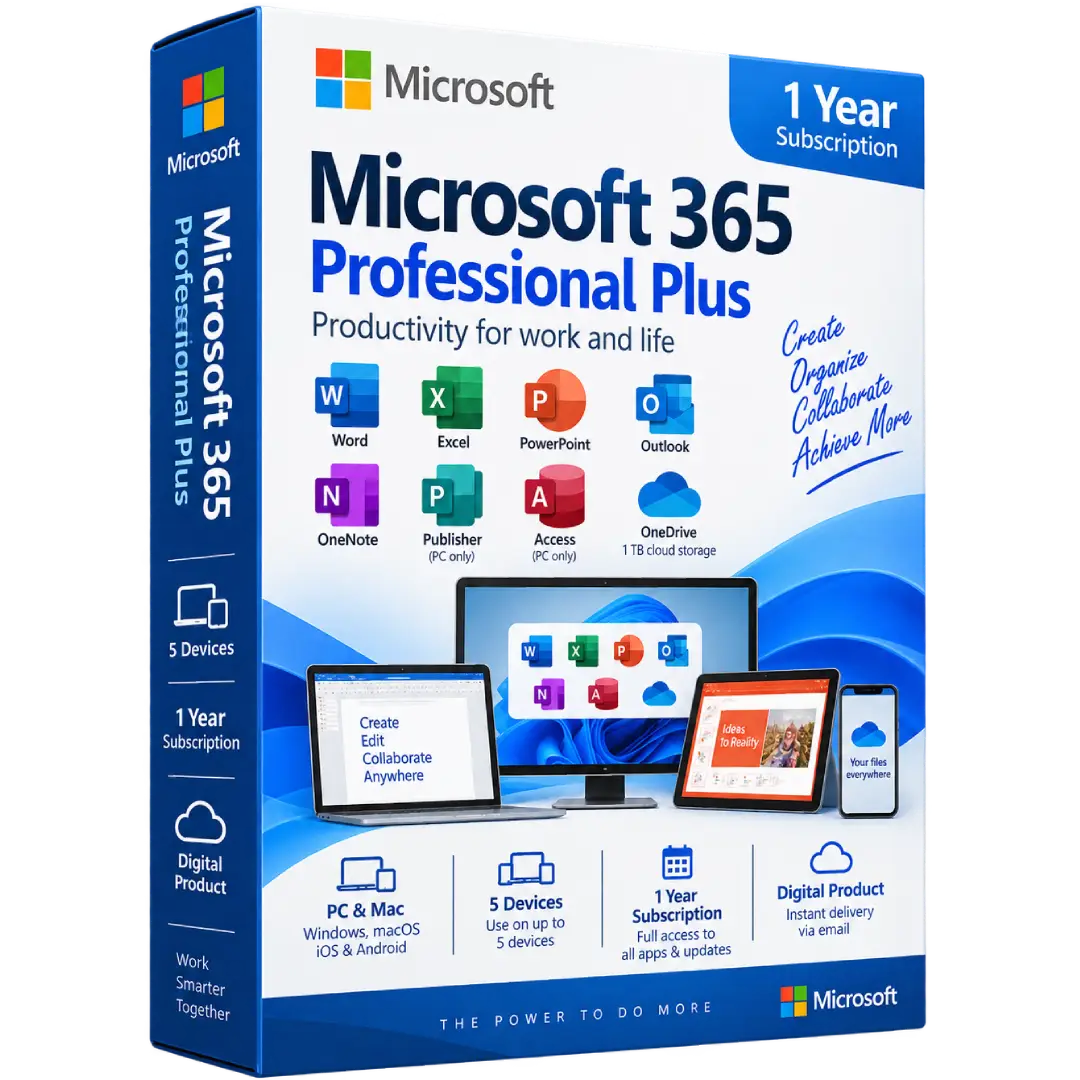
Microsoft 365 Professional Plus Account – 5 Devices
$19.00
Microsoft 365 Professional Plus Account – 5 Devices (1 Year Subscription) gives you access to a powerful collection of Microsoft productivity applications for work, study, and everyday tasks across compatible devices.
- 💻 5 Devices: Use the subscription across up to 5 supported devices
- 📅 Duration: 1 year subscription
- 📝 Office Apps: Word, Excel, PowerPoint, Outlook, and OneNote
- ☁️ Cloud Storage: OneDrive cloud storage with supported Microsoft 365 plans
- 📱 Multi-Device: Supports compatible PCs, Macs, tablets, and mobile devices
⚠️ Important: This is a subscription-based product. Account and device availability depend on the specific Microsoft 365 plan and account supplied with the purchase.
🚀 Microsoft 365 Professional Plus Account – 5 Devices (1 Year Subscription)
Microsoft 365 Professional Plus brings essential productivity applications together in one subscription, helping you create documents, analyze data, build presentations, manage email, organize notes, and work with files across your compatible devices.
This 1-year subscription is designed for users who want access to Microsoft productivity applications across multiple supported devices, making it easier to work from a PC, Mac, tablet, or smartphone.
🔥 Key Features & Benefits
- 📝 Microsoft Word: Create, edit, format, and manage professional documents.
- 📊 Microsoft Excel: Build spreadsheets, analyze information, and organize data.
- 📽️ Microsoft PowerPoint: Create presentations with professional layouts and visual content.
- 📧 Microsoft Outlook: Manage email, calendars, contacts, and tasks.
- 📓 Microsoft OneNote: Capture notes, ideas, lists, and other information digitally.
- ☁️ OneDrive: Store, access, edit, and share files through Microsoft’s cloud storage service where included with the applicable plan.
- 💻 Multi-Device Access: Microsoft 365 supports use across compatible PCs, Macs, tablets, and smartphones.
- 🔄 Regular Updates: Microsoft 365 subscriptions receive ongoing application updates and improvements.
📝 Create Professional Documents with Word
Microsoft Word provides tools for creating everything from simple notes and assignments to detailed business documents, reports, letters, and other professional content.
- Create and edit documents.
- Format text, tables, images, and layouts.
- Review and collaborate on documents.
- Work with documents across supported devices.
📊 Analyze Data with Excel
Excel helps you organize information, create spreadsheets, perform calculations, and analyze data using Microsoft’s extensive collection of spreadsheet tools.
- 📈 Create tables and spreadsheets.
- 🧮 Perform calculations with formulas and functions.
- 📊 Create charts and visual representations of data.
- 🔎 Organize and analyze information.
📽️ Build Presentations with PowerPoint
Create engaging presentations for work, education, meetings, projects, and other purposes. PowerPoint provides tools for combining text, images, graphics, charts, and other presentation elements.
📧 Manage Email with Outlook
Outlook brings email, calendars, contacts, and tasks together in one application, helping you organize communications and schedules from a single workspace.
☁️ Store & Access Files with OneDrive
Microsoft 365 subscriptions that include OneDrive provide cloud storage for saving, accessing, editing, and sharing files across supported devices. Microsoft lists 1 TB of OneDrive storage per user for Microsoft 365 Apps for business and enterprise licensing. :contentReference[oaicite:1]{index=1}
💻 Use Microsoft 365 Across Multiple Devices
Microsoft 365 is designed to work across multiple device types. Microsoft states that supported Microsoft 365 subscriptions can be installed and signed into on up to 5 PCs or Macs, 5 tablets, and 5 phones, subject to the applicable subscription terms. :contentReference[oaicite:2]{index=2}
This makes it possible to continue working across compatible computers and mobile devices while keeping your Microsoft 365 experience connected.
🔄 Always-Updated Microsoft 365 Apps
Unlike traditional one-time-purchase Office editions, Microsoft 365 is a subscription service that provides ongoing application updates during the active subscription period. :contentReference[oaicite:3]{index=3}
⚙️ Compatibility Information
Microsoft 365 supports multiple operating systems and device types. Current Microsoft requirements for supported Microsoft 365 business plans include:
- 🪟 Windows: Windows 11 and supported Windows Server versions for applicable business plans
- 🍎 Mac: One of the three most recent major versions of macOS
- 📱 Android: Supported recent Android versions
- 📱 iPhone/iPad: Supported recent iOS/iPadOS versions
- 💾 Memory: 4 GB RAM minimum on Windows and Mac for the applicable Microsoft 365 requirements
- 🌐 Internet: Internet access is required for setup, activation, updates, and certain online services
Requirements vary according to the Microsoft 365 plan and application. See Microsoft’s current system requirements for the latest compatibility information. :contentReference[oaicite:4]{index=4}
🔑 Installation & Activation
- Make sure your devices meet Microsoft’s current Microsoft 365 requirements.
- Use the Microsoft account or account credentials supplied according to the product’s fulfillment method.
- Sign in to the applicable Microsoft 365 account.
- Download and install the available Microsoft 365 applications.
- Sign in within the applications to activate your subscription.
- Repeat the installation process on additional supported devices within the product’s device allowance.
Microsoft requires an account for licensing and access to Microsoft 365 services, and internet connectivity is required for various activation and online functions. :contentReference[oaicite:5]{index=5}
📅 1-Year Subscription
This product provides 1 year of Microsoft 365 access according to the product offering. During the active subscription period, you can use the applications and services included with the applicable account and subscription.
When the subscription period ends, continued access depends on renewal or the terms associated with the account supplied with the product.
📥 Digital Product Delivery
This is a digital product. No physical disc or boxed software is required. After your order is processed, the applicable account information and activation instructions are delivered electronically according to the fulfillment method used for your purchase.
⚠️ Before You Buy
- ✔️ This is a 1-year subscription.
- ✔️ The product is intended for use on up to 5 supported devices, subject to the applicable Microsoft subscription terms.
- ✔️ A Microsoft account is required for Microsoft 365 licensing and access.
- ✔️ Internet access is required for setup, activation, updates, and certain online services.
- ✔️ Microsoft 365 functionality can vary according to the specific subscription plan.
- ⚠️ Please review the account and activation details supplied with your order before installing the applications.
🛠️ Need Assistance?
If you need help installing or activating Microsoft 365, contact the BuySoftKeys support team with your order information. We can help guide you through the applicable installation and activation process.
📌 Product Specifications
- Product: Microsoft 365 Professional Plus
- Product Type: Digital subscription
- Duration: 1 Year
- Devices: Up to 5 supported devices
- Applications: Word, Excel, PowerPoint, Outlook, OneNote and other applications/services according to the applicable plan
- Cloud Services: OneDrive where included with the applicable plan
- Platforms: Windows, Mac, iOS, and Android support varies by application and plan
- Delivery: Digital delivery
Note: Microsoft, Microsoft 365, Windows, Word, Excel, PowerPoint, Outlook, OneNote, and OneDrive are trademarks of Microsoft Corporation. BuySoftKeys is an independent software retailer and is not affiliated with or endorsed by Microsoft unless expressly stated otherwise.
Related products
- Buy now
- Buy now
-
Microsoft 365Buy now
Microsoft 365 Family Key – 1 Year / Up to 6 Users (PC, Mac, Mobile)
$118.00 Add to cart