Microsoft 365 Family Key – 1 Year / Up to 6 Users (PC, Mac, Mobile)
$118.00
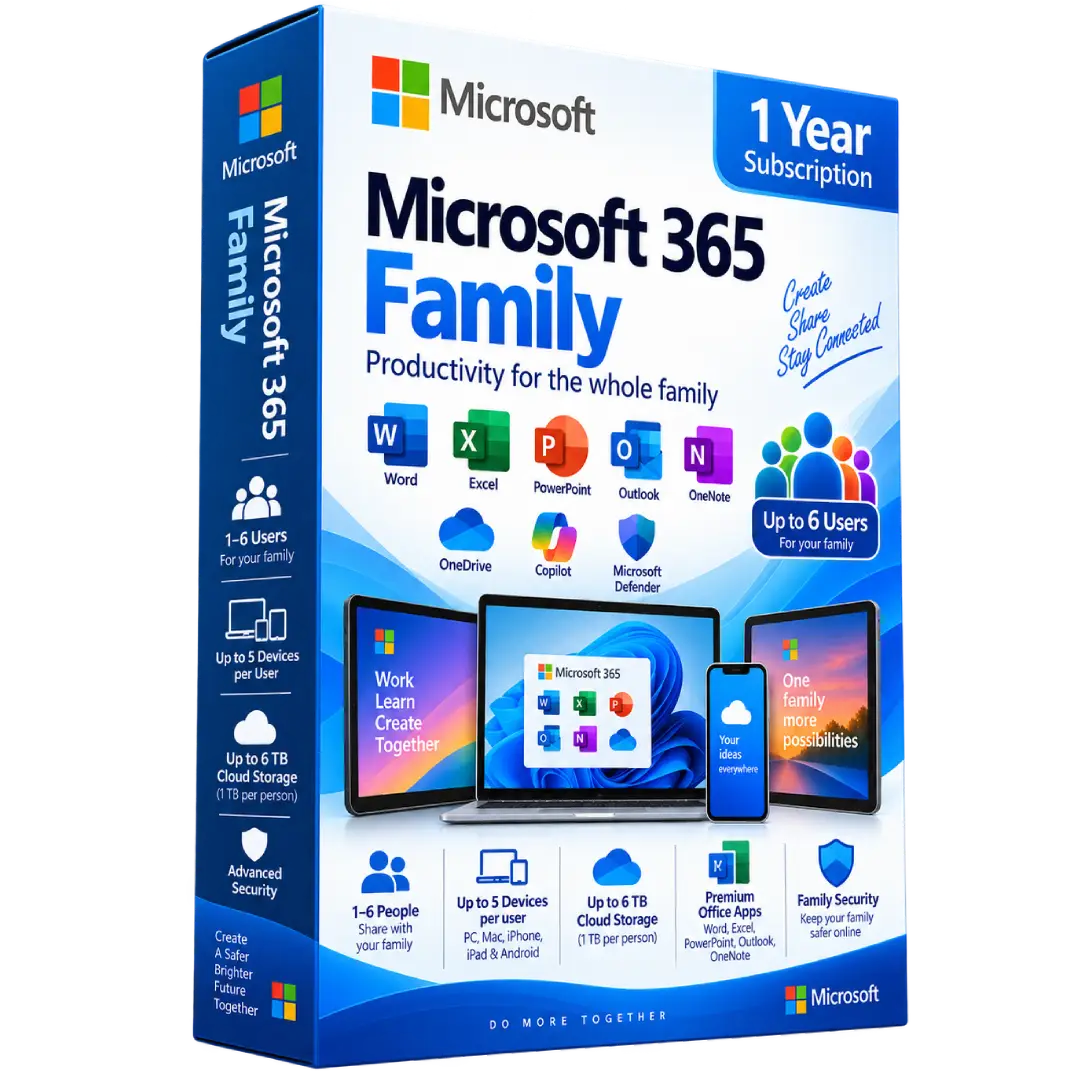
Microsoft 365 Family – 1 Year Subscription gives your household access to premium Microsoft productivity apps, cloud storage, and security features for up to 6 people across compatible PC, Mac, iPhone, iPad, and Android devices.
- 👨👩👧👦 Up to 6 People: Share the subscription with up to five additional people
- 📅 Duration: 1 year subscription
- 💻 Multi-Device: Each person can use Microsoft 365 on up to 5 devices simultaneously
- 📝 Premium Apps: Word, Excel, PowerPoint, Outlook, and OneNote
- ☁️ Cloud Storage: Up to 6 TB total OneDrive storage — 1 TB per person
⚠️ Important: Each person must use their own Microsoft account when the subscription is shared. Microsoft 365 Family is a subscription product and requires internet access for setup, activation, updates, and certain online services. :contentReference[oaicite:0]{index=0}
🚀 Microsoft 365 Family – 1 Year Subscription
Microsoft 365 Family is a productivity subscription designed for households and families. It provides premium Microsoft applications, cloud storage, security features, and connected services for 1 to 6 people.
Each person can use Microsoft 365 across compatible PCs, Macs, smartphones, and tablets, making it easy to create documents, manage spreadsheets, build presentations, organize email, store files, and stay productive across multiple devices.
🔥 Key Features & Benefits
- 👨👩👧👦 Up to 6 People: Share the subscription with up to five additional people.
- 💻 Up to 5 Devices per Person: Each person can be signed in on up to five devices simultaneously.
- 📝 Premium Office Apps: Word, Excel, PowerPoint, Outlook, and OneNote.
- ☁️ Up to 6 TB OneDrive: Each person receives 1 TB of cloud storage.
- 🛡️ Advanced Security: Microsoft Defender and OneDrive security features help protect accounts, devices, and files.
- 🤖 Microsoft Copilot: Supported Copilot features are included with the current Family plan, with AI benefits subject to Microsoft’s current availability and usage limits.
- 📱 Cross-Platform: Works across Windows, macOS, iOS, and Android devices.
📝 Microsoft Word
Create and edit professional documents, school assignments, letters, reports, resumes, and everyday documents with Microsoft Word.
📊 Microsoft Excel
Organize information, build spreadsheets, perform calculations, and analyze data using Excel’s extensive collection of formulas, functions, tables, and charts.
📽️ Microsoft PowerPoint
Create presentations for school, work, meetings, projects, and personal use by combining text, images, charts, graphics, and other visual elements.
📧 Microsoft Outlook
Manage email, calendars, contacts, and tasks from one convenient application while keeping your communications organized across supported devices.
📓 Microsoft OneNote
Capture notes, ideas, lists, research, and other information in digital notebooks that can be accessed across supported devices.
☁️ Up to 6 TB of OneDrive Storage
Microsoft 365 Family provides 1 TB of OneDrive storage per person, allowing up to 6 TB total when six people use the subscription.
- ☁️ Store documents, photos, videos, and other files.
- 📱 Access files from supported devices.
- 🔄 Keep files available across devices.
- 🤝 Share files and collaborate with others.
Microsoft confirms that each person added to a Family subscription receives their own 1 TB of OneDrive storage associated with their individual Microsoft account. :contentReference[oaicite:1]{index=1}
👨👩👧👦 Share With Up to 6 People
Microsoft 365 Family can be shared with up to five additional people, for a total of six users. Each person uses their own Microsoft account and can manage their own files, installations, and OneDrive storage.
Each person can install Microsoft 365 on their devices and remain signed in on up to 5 devices simultaneously. :contentReference[oaicite:2]{index=2}
💻 Works Across Multiple Devices
Microsoft 365 Family supports a broad range of devices, including:
- 🪟 Windows PCs
- 🍎 Mac computers
- 📱 iPhone and iPad
- 🤖 Android phones and tablets
Microsoft currently lists Microsoft 365 Family as compatible with PC, Mac, iPhone, iPad, and Android phones and tablets. :contentReference[oaicite:3]{index=3}
🛡️ Security & File Protection
The current Microsoft 365 Family plan includes security features designed to help protect your family’s identities, personal data, devices, and files. Microsoft also provides OneDrive ransomware protection for supported files and photos. :contentReference[oaicite:4]{index=4}
🤖 Microsoft Copilot
The current Microsoft 365 Family subscription includes supported Microsoft Copilot features. Microsoft specifies that AI benefits are available to the subscription owner, while other subscription benefits can be shared with family members. AI features and usage limits can change according to Microsoft’s current terms and availability. :contentReference[oaicite:5]{index=5}
🔄 Ongoing Microsoft 365 Updates
Microsoft 365 is a subscription service, so applications receive ongoing updates, improvements, fixes, and security updates during the active subscription period. :contentReference[oaicite:6]{index=6}
⚙️ Compatibility Information
- 🪟 Windows: Compatible supported Windows versions
- 🍎 Mac: Supported recent versions of macOS
- 📱 iPhone/iPad: Supported iOS/iPadOS versions
- 🤖 Android: Supported Android phones and tablets
- 🌐 Internet: Required for setup, activation, updates, and certain online services
- 👤 Microsoft Account: Required for subscription management and individual user access
System requirements and supported operating-system versions can change as Microsoft updates Microsoft 365. Check Microsoft’s current requirements before installation.
🔑 Installation & Activation
- Make sure your devices meet Microsoft’s current Microsoft 365 requirements.
- Redeem or activate the subscription according to the supplied product instructions.
- Sign in with your Microsoft account.
- Install the Microsoft 365 applications on your supported devices.
- Open Word, Excel, PowerPoint, or another included application.
- Sign in with the appropriate Microsoft account when prompted.
- For family sharing, invite additional people through the Microsoft account subscription management page.
Microsoft states that people added to a Family subscription receive an invitation and use their own Microsoft accounts after accepting the shared subscription benefits. :contentReference[oaicite:7]{index=7}
📅 1-Year Subscription
This product provides 1 year of Microsoft 365 Family according to the product offering. During the active subscription period, users can access the applications and services included with the applicable Microsoft 365 Family plan.
Continued use after the subscription period requires renewal according to Microsoft’s applicable subscription terms.
📥 Digital Product Delivery
This is a digital subscription product. No physical disc or boxed software is required. After your order is processed, the applicable subscription information and activation instructions are delivered electronically according to the fulfillment method used for your purchase.
⚠️ Before You Buy
- ✔️ Subscription duration: 1 year.
- ✔️ Supports 1 to 6 people.
- ✔️ Each person can use Microsoft 365 on up to 5 devices simultaneously.
- ✔️ Each person receives 1 TB of OneDrive storage, up to 6 TB total.
- ✔️ Each additional user needs their own Microsoft account.
- ✔️ Microsoft Copilot availability and AI usage limits are subject to Microsoft’s current plan terms.
- ✔️ Internet access is required for setup, activation, updates, and certain online features.
🛠️ Need Assistance?
If you need help with installation or activation, contact the BuySoftKeys support team with your order information. We can help guide you through the applicable Microsoft 365 installation and activation process.
📌 Product Specifications
- Product: Microsoft 365 Family
- Duration: 1 Year
- Users: 1–6 people
- Devices: Up to 5 devices simultaneously per person
- Cloud Storage: 1 TB per person, up to 6 TB total
- Applications: Word, Excel, PowerPoint, Outlook, OneNote
- Platforms: Windows, macOS, iOS, and Android
- Product Type: Digital subscription
- Delivery: Digital delivery
Note: Microsoft, Microsoft 365, Windows, Word, Excel, PowerPoint, Outlook, OneNote, OneDrive, Copilot, and Microsoft Defender are trademarks of Microsoft Corporation. BuySoftKeys is an independent software retailer and is not affiliated with or endorsed by Microsoft unless expressly stated otherwise.