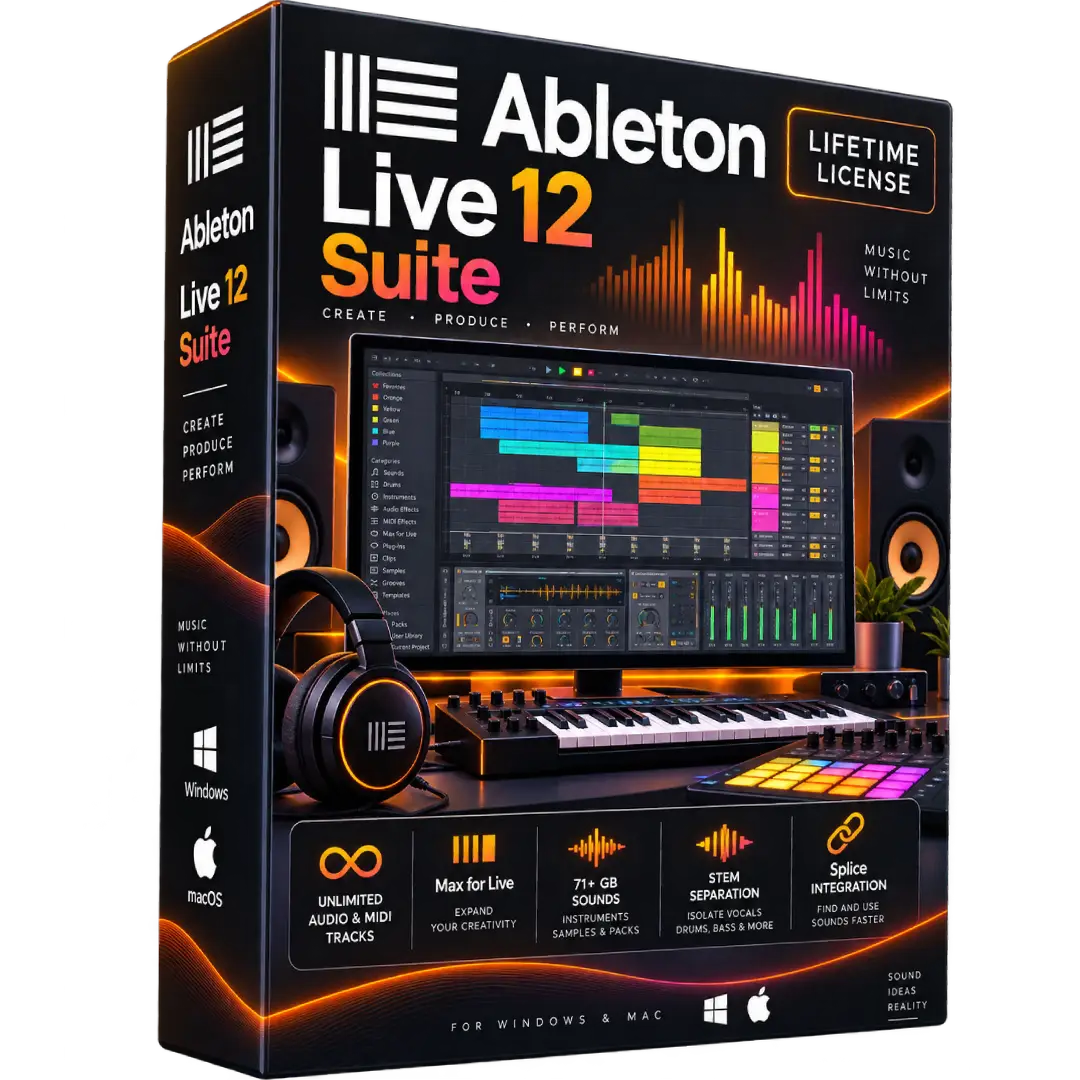
Ableton Live 12 Suite Lifetime License for Windows & Mac
$187.00
Create, record, arrange, mix, and perform music with Ableton Live 12 Suite, a complete music production environment for Windows and Mac.
- 🎵 Complete Music Production: Record, arrange, edit, mix, and perform music in one workflow.
- 🎛️ Full Suite Edition: Includes the complete Live 12 Suite feature set, instruments, effects, and Packs.
- 🎹 Unlimited Tracks: Build large music projects with unlimited audio and MIDI tracks.
- 🧩 Max for Live: Create and use additional instruments, effects, and devices.
- 💻 Windows & Mac: Compatible with supported Windows and macOS systems.
⚠️ License: This listing specifies a lifetime/perpetual license. Ableton’s official Live policy describes a purchased Live license as a license registered to one user and installable on up to two of that user’s computers. Verify the exact license/activation method supplied with your order. :contentReference[oaicite:0]{index=0}
🎵 Ableton Live 12 Suite – Complete Music Production Software
Ableton Live 12 Suite is a complete digital audio workstation designed for music creation, recording, arrangement, sound design, mixing, and live performance. Its Session View provides a flexible environment for experimentation and performance, while Arrangement View gives you a traditional timeline-based workflow for developing complete productions.
Live 12 Suite is the most fully featured edition of Live 12, combining unlimited audio and MIDI tracks with a large collection of instruments, effects, Packs, MIDI tools, and Max for Live. :contentReference[oaicite:1]{index=1}
🔥 Key Features & Benefits
- 🎼 Complete Music Production: Record, edit, arrange, mix, and perform music within one integrated environment.
- 🎛️ Live 12 Suite: Access the full feature set of the Suite edition, including its complete collection of instruments, effects, and Packs.
- 🎚️ Unlimited Audio & MIDI Tracks: Build complex productions without the track limitations found in smaller editions.
- 🎹 Software Instruments: Suite includes 20 software instruments according to Ableton’s current edition comparison.
- 🔊 Audio Effects: Suite includes 58 audio effects for shaping, processing, and mixing sound.
- 🎛️ MIDI Tools: Create and transform MIDI performances with a broad collection of MIDI tools.
- 🧩 Max for Live: Extend Live with additional devices and creative tools.
- 🎧 71+ GB of Sounds: Suite includes more than 71 GB of presets, samples, and loops according to Ableton’s current comparison.
- 🎤 Stem Separation: Live 12.3 introduced stem separation in Suite, allowing vocals, drums, bass, and other elements to be isolated from supported audio clips.
- 🔗 Splice Integration: Search and audition Splice sounds directly through Live’s Browser.
📌 Product Specifications
- Product: Ableton Live 12 Suite
- Edition: Suite
- License: Lifetime / Perpetual License as specified in this listing
- Platforms: Windows & macOS
- Product Type: Digital Software
- Category: DAW / Digital Audio Workstation
- Developer: Ableton
🎚️ Why Choose Live 12 Suite?
Live 12 Suite is designed for producers who want an extensive set of creative tools in a single DAW. It combines recording and arrangement capabilities with instruments, effects, sound libraries, MIDI tools, and Max for Live.
The Suite edition includes 33 Packs, 20 software instruments, 58 audio effects, 14 MIDI effects, 14 MIDI tools, and 6 modulators according to Ableton’s current edition comparison. :contentReference[oaicite:2]{index=2}
💻 System Requirements
Windows:
- Windows 10 version 22H2 or Windows 11 version 22H2 or higher
- 5th-generation Intel Core i5 or AMD Ryzen processor with AVX2 support
- 8 GB RAM
- 1366 × 768 display resolution
- Approximately 6 GB system-drive space for the basic installation
- Additional space may be required for optional sound content
- ASIO-compatible audio hardware recommended for optimal audio performance
macOS:
- macOS 11.7.10 Big Sur through macOS 26 Tahoe
- Intel Core i5 processor or Apple silicon
- 8 GB RAM
- 1280 × 800 display resolution
- Approximately 8 GB disk space on Intel Macs or 10 GB on Apple silicon for the basic installation
- Additional space may be required for optional sound content
- Core Audio-compatible audio interface recommended
These requirements are based on Ableton’s current Live 12 system requirements. :contentReference[oaicite:3]{index=3}
🍎 Apple Silicon Support
Ableton states that Live 12 runs natively on Macs using Apple silicon as well as Intel-based Macs. The macOS Universal version can be downloaded through an Ableton account for supported Live 12 licenses. :contentReference[oaicite:4]{index=4}
🔑 Installation & Activation
- Download the appropriate Ableton Live 12 installer for Windows or macOS.
- Install Live 12 on your compatible computer.
- Launch Ableton Live and follow the authorization instructions.
- Sign in to the applicable Ableton account or use the license/activation information supplied with your order.
- Download any included Packs and additional content you want to use.
Ableton requires an internet connection for authorizing Live and recommends a fast connection for downloading additional content and updates. :contentReference[oaicite:5]{index=5}
📥 Digital Product Delivery
This is a digital software product. No physical CD, DVD, or boxed copy is required. License or activation information is delivered digitally according to the order.
⚠️ Before You Buy
- ✔️ This listing specifies a lifetime/perpetual license.
- ✔️ Ableton’s official license policy states that a Live license is registered to a single user and can be installed on up to two of that user’s computers. :contentReference[oaicite:6]{index=6}
- ✔️ Check the exact license and activation method supplied with your order before installation.
- ✔️ Make sure your Windows PC or Mac meets the current Live 12 requirements.
- ✔️ Internet access is required for authorization and recommended for downloading additional content and updates. :contentReference[oaicite:7]{index=7}
- ⚠️ Third-party plug-ins, audio interfaces, and hardware should also be checked for compatibility with your operating system.
🛠️ Need Assistance?
If you need help downloading, installing, or activating your software, contact our support team and we’ll help you through the setup process.
Trademark Notice: Ableton and Ableton Live are trademarks of Ableton AG. BuySoftKeys is an independent retailer, and this product description does not imply ownership of or affiliation with Ableton.