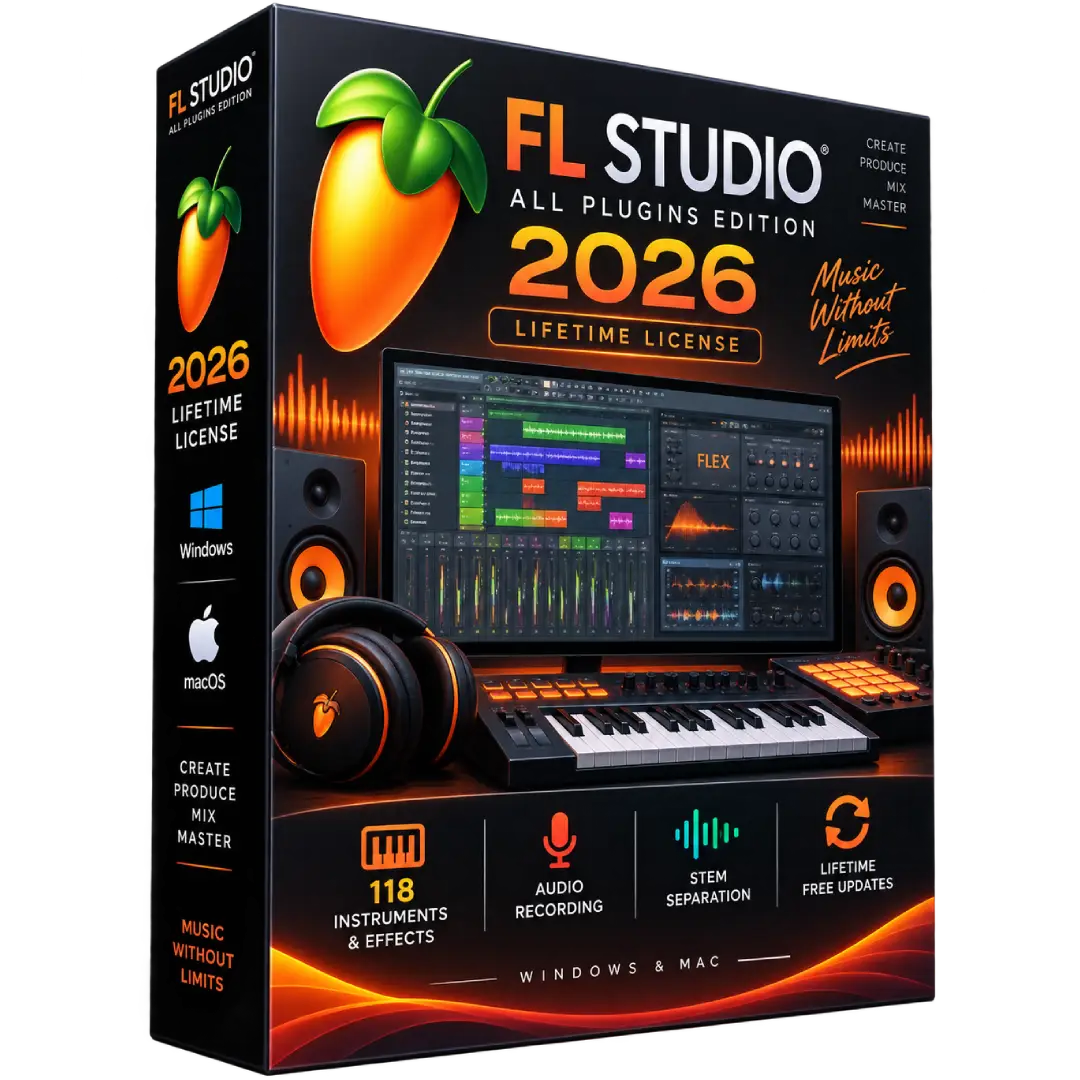
FL Studio All Plugins Edition 2026 Lifetime License for Windows & Mac
$169.00
Create, arrange, record, mix, and master music with FL Studio All Plugins Edition 2026 for Windows & Mac. This edition provides the complete FL Studio production environment with the full collection of included instruments and effects.
- 🎹 All Plugins Edition – Access the complete collection of included FL Studio instruments and effects
- 🎚️ Full Music Production – Compose, arrange, record, edit, mix, and master complete projects
- 🎤 Audio Recording – Record vocals, instruments, and other audio directly into your projects
- ✂️ Stem Separation – Separate audio into individual instrument elements for remixing and editing
- 💻 Windows & Mac – One FL Studio license works across both supported platforms
- ♾️ Lifetime Free Updates – Receive future updates to your purchased Edition without additional update fees
⚠️ Important: Image-Line officially describes the All Plugins Edition as a lifetime FL Studio license with the complete included plugin collection. Lifetime Free Updates apply to the Edition and included plugins covered by the license. ([image-line.com](https://www.image-line.com/fl-studio/pricing?utm_source=chatgpt.com))
🎵 Produce Music Without Limits with FL Studio All Plugins Edition 2026
FL Studio All Plugins Edition 2026 is the complete FL Studio music-production package from Image-Line, bringing together powerful composition, recording, editing, arrangement, mixing, mastering, instruments, effects, and creative production tools.
Whether you’re producing beats, recording vocals, creating electronic music, arranging full songs, or developing professional mixes, FL Studio provides an integrated workflow from your first idea through final export.
🔥 Key Features & Benefits
- 🎹 Complete All Plugins Edition – Unlock the full collection of instruments and effects included with the All Plugins Edition.
- 🎼 Music Composition – Create melodies, chords, rhythms, arrangements, and complete musical productions.
- 🎚️ Professional Mixing – Shape your tracks using a comprehensive collection of mixing and effects tools.
- 🎤 Audio Recording – Record vocals, instruments, and external audio directly into FL Studio.
- ✂️ Stem Separation – Separate songs into individual elements for remixing, editing, and creative workflows.
- ⏱️ Time Stretching & Pitch Shifting – Manipulate audio clips and recordings to fit your production.
- 🎛️ Automation & Arrangement – Create detailed arrangements and automate parameters throughout your projects.
- ✨ Creative & Mastering Tools – Access a broad collection of instruments, effects, and production tools.
- 🔌 Plugin Support – Work with supported third-party plugins alongside FL Studio’s built-in instruments and effects.
Image-Line currently lists the All Plugins Edition with 118 instruments and effects, including audio recording and stem separation. ([image-line.com](https://www.image-line.com/fl-studio?utm_source=chatgpt.com))
🎛️ What’s Included in All Plugins Edition?
- 🎹 FL Studio’s complete core production environment
- 🎵 118 included instruments and effects according to Image-Line’s current edition listing
- 🎤 Audio recording
- ✂️ Stem separation
- 🎚️ Mixing and mastering tools
- 🎼 Piano Roll and Playlist workflows
- 🎛️ Automation and advanced production controls
- 🎧 Audio editing and manipulation tools
- 🔊 Synthesizers, samplers, effects, and creative processors
Image-Line specifically highlights exclusive All Plugins Edition instruments such as Kepler Exo, Harmor, Sakura, Luxeverb, and Ogun, along with the broader collection included in the edition. ([image-line.com](https://www.image-line.com/fl-studio?utm_source=chatgpt.com))
🆕 FL Studio 2026
FL Studio 2026 is a free update for existing owners of eligible Editions. Image-Line highlights new features including an updated FLEX experience, project cloud backup capabilities, Gopher assistance, and other workflow improvements. ([image-line.com](https://www.image-line.com/fl-studio?utm_source=chatgpt.com))
- 🎹 Updated FLEX – Explore sounds and presets within the FL Studio environment.
- ☁️ Cloud Project Backup – Back up projects through supported FL Studio cloud features.
- 🤖 Gopher Assistance – Get hands-on assistance within the FL Studio workflow.
- 🎵 Updated Production Tools – Continue working with the evolving FL Studio feature set.
💻 Windows & Mac Compatibility
FL Studio is available for both Windows and macOS. Image-Line states that one FL Studio license works across both platforms, allowing you to move between supported Windows and Mac computers without purchasing a separate platform license. ([image-line.com](https://www.image-line.com/fl-studio/download?utm_source=chatgpt.com))
🖥️ System Requirements
According to Image-Line’s current requirements:
- Windows: Windows 10 or Windows 11
- Windows CPU: 2 GHz or faster with SSE2 support
- Windows RAM: 4 GB minimum
- Windows Storage: 4 GB free disk space
- macOS: macOS 10.15.7 or newer
- Mac CPU: Intel or Apple Silicon
- Mac RAM: 4 GB minimum
- Mac Storage: 4 GB free disk space
For smoother performance with larger projects, Image-Line recommends a quad-core CPU, 8–16 GB RAM, and an SSD. ([image-line.com](https://www.image-line.com/fl-studio/download?utm_source=chatgpt.com))
♾️ Lifetime Free Updates
FL Studio uses a one-time purchase model with Lifetime Free Updates. Image-Line states that customers receive future releases of their purchased Edition without additional update charges.
Lifetime Free Updates apply to the FL Studio Edition and the plugins included with that Edition at the time of purchase. New products added to an Edition or bundle may not automatically be included. ([image-line.com](https://www.image-line.com/fl-studio/lifetime-free-updates?utm_source=chatgpt.com))
🌐 Windows & Mac — One License
Your FL Studio license can be used on both supported Windows and macOS systems. Image-Line states that users switching between Windows and Mac do not need to purchase FL Studio again for the other platform. ([image-line.com](https://www.image-line.com/fl-studio?utm_source=chatgpt.com))
🔑 Installation & Activation
- 📥 Download the official FL Studio installer for Windows or macOS.
- 💻 Install FL Studio on your compatible computer.
- 👤 Sign in to the applicable Image-Line account.
- 🔓 Unlock FL Studio using the supplied license information.
- 🎵 Launch FL Studio and begin creating your projects.
Image-Line provides one installer for both the trial and full versions. After installation, the software can be unlocked through the Image-Line account associated with the license. ([image-line.com](https://www.image-line.com/fl-studio/download?utm_source=chatgpt.com))
📥 Digital Product Delivery
After your order has been successfully processed, the applicable digital product information and activation instructions will be delivered electronically using the contact details provided during checkout.
Please make sure your email address is entered correctly when placing your order.
⚠️ Before You Buy
- ✔️ This listing is for FL Studio All Plugins Edition 2026.
- ✔️ Compatible with supported Windows and macOS systems.
- ✔️ The All Plugins Edition includes the full plugin collection associated with the Edition.
- ✔️ The FL Studio license includes Lifetime Free Updates for the purchased Edition.
- ✔️ New products added to an Edition in the future may not automatically be included.
- ✔️ Check your computer against the official system requirements before installation.
🛠️ Need Assistance?
If you need help with your order, digital delivery, activation information, or installation, our support team is available to assist.
📧 Email: contact@buysoftkeys.com
📞 Phone: +1 (938) 230-0654
Note: FL Studio and Image-Line are trademarks or registered trademarks of Image-Line. BuySoftKeys is an independent seller and is not affiliated with or endorsed by Image-Line unless explicitly stated.