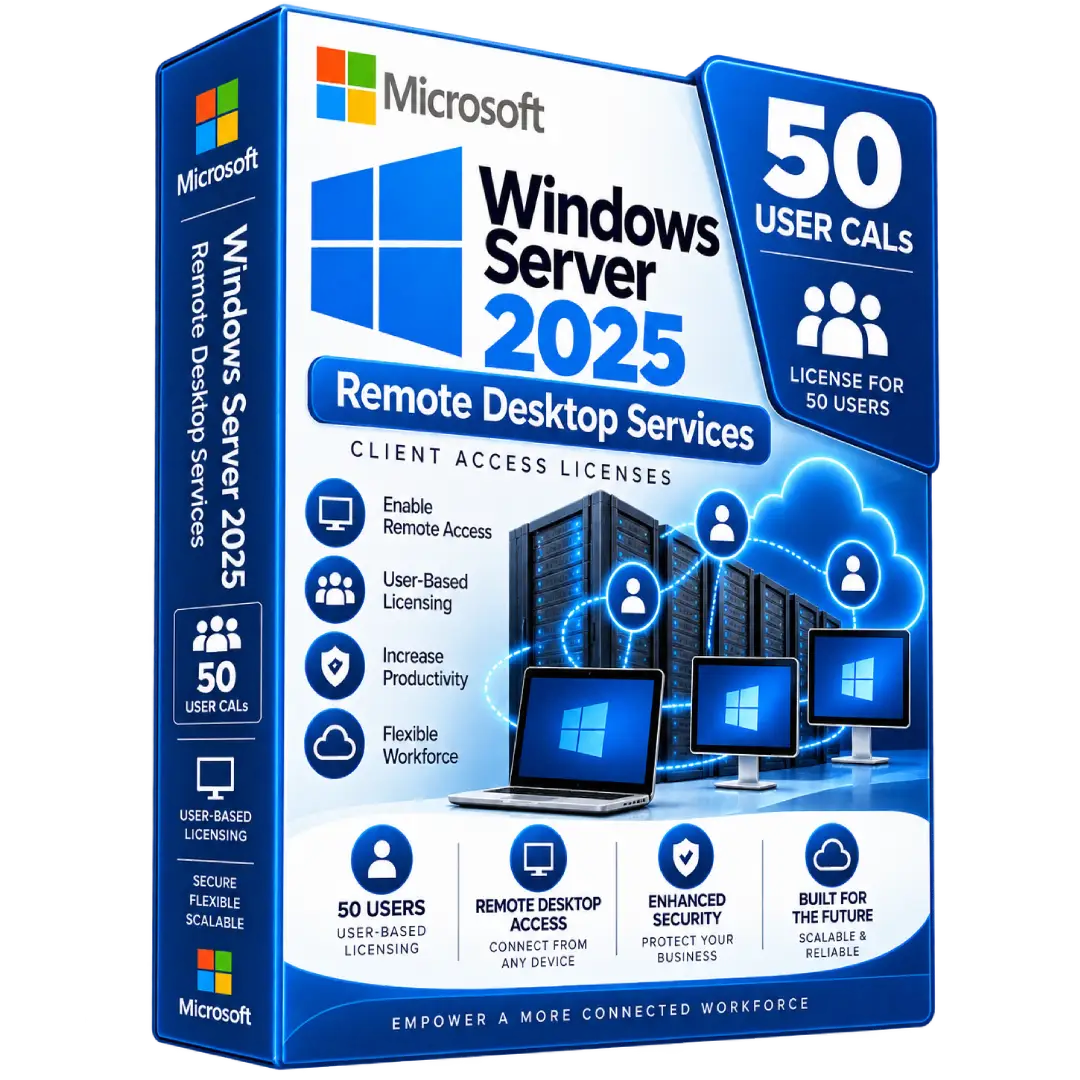
Windows Server 2025 Remote Desktop Services CALs – 50 Users License
$79.00
Enable remote access to Windows Server 2025 environments with 50 Windows Server 2025 Remote Desktop Services (RDS) User CALs, designed for organizations that need user-based remote desktop access.
- 👥 50 User CALs – License up to 50 users for RDS access
- 🌐 Remote Desktop Services – Provide licensed users with access to Windows Server RDS session hosts
- 👤 User-Based Licensing – Each CAL is assigned to a specific user
- 💻 Multi-Device Access – A licensed user can connect from multiple devices under the applicable licensing model
- 🚀 Windows Server 2025 Compatible – Designed for Windows Server 2025 RDS environments
⚠️ Important: RDS CALs are additive licenses. The underlying Windows Server license and applicable Windows Server Base CAL are separate requirements. :contentReference[oaicite:0]{index=0}
🖥️ Windows Server 2025 Remote Desktop Services CALs – 50 Users License
Windows Server 2025 Remote Desktop Services (RDS) User CALs provide user-based licensing for individuals who connect to Windows Server environments through Remote Desktop Services.
This listing includes 50 User CALs, making it suitable for organizations that need to license multiple users for remote access to centrally hosted Windows Server desktops and applications.
🔥 Key Features & Benefits
- 👥 50 User CALs – Provides licensing for up to 50 users under the applicable Per User model.
- 🌐 Remote Desktop Access – Enables licensed users to connect to Windows Server RDS session hosts.
- 👤 User-Based Licensing – Each RDS CAL is assigned to an individual user rather than a specific device.
- 💻 Multi-Device Access – A licensed user can access the server from multiple devices under the applicable User CAL model.
- 🏢 Business Remote Access – Suitable for remote employees, distributed teams, hosted applications, and centralized Windows Server environments.
📌 Product Specifications
- Product: Windows Server 2025 Remote Desktop Services
- License Type: RDS User CAL
- Quantity: 50 Users
- Licensing Model: Per User
- Compatible Session Host: Windows Server 2025
- Product Type: Additive Client Access License
- Delivery: Digital delivery
👤 What Is an RDS User CAL?
An RDS User CAL is assigned to an individual user who needs to access Remote Desktop Services. The license follows the user rather than being tied to one particular computer.
Microsoft states that each User CAL permits one user, using any device, to access instances of the server software on the customer’s licensed servers. :contentReference[oaicite:1]{index=1}
🌐 Remote Desktop Services
Remote Desktop Services allows users to connect remotely to Windows Server session hosts and access hosted Windows desktops or applications.
Typical business scenarios include:
- 🏠 Remote employees accessing company resources
- 💼 Centralized business applications
- 🖥️ Hosted Windows desktops
- 🌍 Distributed teams connecting to a central server
- 🏢 Organizations providing remote access to internal applications
🔄 Windows Server 2025 Compatibility
Windows Server 2025 RDS CALs are compatible with Windows Server 2025 session hosts. Microsoft also states that 2025 RDS CALs can be used to access earlier supported Windows Server versions, including Windows Server 2022, 2019, and 2016. Earlier-version RDS CALs cannot be used to access a Windows Server 2025 session host. :contentReference[oaicite:2]{index=2}
🔐 Important Licensing Information
An RDS User CAL does not replace the underlying Windows Server license or applicable Windows Server Base CAL. Microsoft classifies Windows Server RDS as an additive access license that is required in addition to the Base CAL when the applicable RDS functionality is used. :contentReference[oaicite:3]{index=3}
For a compliant deployment, make sure the Windows Server environment itself is appropriately licensed and that the required Base CALs and RDS User CALs are available for the users accessing the environment.
⚙️ RDS Licensing Setup
RDS CALs are installed and managed through a Remote Desktop Licensing Server.
- Install and activate the Remote Desktop Licensing role.
- Open Remote Desktop Licensing Manager.
- Install the purchased RDS CALs.
- Select the appropriate Per User licensing mode.
- Specify the Remote Desktop Licensing Server for your RDS deployment.
- Configure the session hosts to use the designated licensing server.
Microsoft’s documentation describes the Remote Desktop Licensing Manager as the tool used to install RDS CALs and configure the RDS deployment to use the licensing server. :contentReference[oaicite:4]{index=4}
📊 50 User License
This listing contains 50 RDS User CALs. Each CAL is intended to license an individual user who requires Remote Desktop Services access.
- 👤 1 CAL = 1 licensed user
- 💻 A licensed user can access from multiple devices under the applicable User CAL model
- 👥 Package quantity = 50 users
- 🌐 Designed for Windows Server 2025 RDS environments
📥 Digital Product Delivery
After your order is processed, the applicable digital license information and activation details are delivered electronically according to the delivery method specified with your purchase.
- 📧 Digital delivery
- 🔑 RDS licensing information supplied according to the purchased listing
- 💻 No physical media required
⚠️ Before You Buy
- Confirm that you need RDS User CALs rather than RDS Device CALs.
- This product is for 50 users, not 50 individual devices.
- RDS CALs are additive and do not replace Windows Server Base CALs.
- Confirm that your Windows Server environment is properly licensed.
- Configure your RDS deployment for Per User licensing.
- Verify the exact license type and activation method supplied with your purchase.
🛠️ Need Assistance?
If you need help with your digital product delivery or licensing information, contact our support team with your order details.
📧 Email: contact@buysoftkeys.com
📞 Phone: +1 (938) 230-0654
Microsoft, Windows Server, and Remote Desktop Services are trademarks of Microsoft Corporation. BuySoftKeys is an independent seller and is not affiliated with or endorsed by Microsoft Corporation.